Now run this command to replace your CentOS 8 with the Oracle:
./centos2ol.sh
And finally
reboot
How to migrate from CentOS 7 to AlmaLinux 9
Take System Backup
Before upgrading, please back up all your essential data and take a snapshot of the complete CentOS 7 system. This way, you will be on the right side if anything goes wrong.
Alternatively, you can always use a command like the one below to archive all the more important directories and their contents in a single tar.gz archive file.
Of course, add more “–exclude=” parameters if you need to. Finally, the command creates a backup of all the files and directories by placing them in the centos7.tar.gz archive in the root (/) partition.
Then, this file must be transferred to another computer or drive, for example, with the help of the SCP command.
Upgrade the Current CentOS 7 System
The next step in the upgrade process is to ensure we have a wholly upgraded system. Update existing software with the following command
sudo yum update
Once all the packages are updated, reboot your system to apply the changes.
Now let's verify our current operating system version.
cat /etc/centos-release
Output
CentOS Linux release 7.9.2009 (Core)
As you can see, the system runs CentOS 7.9, the latest CentOS version in the 7.x branch.
Migrate CentOS 7 to AlmaLinux 8
Install ELevate
The first step in the upgrade process is installing the “elevate-release” package on your current CentOS 7 system.
Install Leapp and Migration Data
The migration process is based on using Red Hat’s Leapp utility. It combines Red Hat’s Leapp framework with a community-created library and service for its required migration metadata set.
Therefore the next step is to install the required packages, which in our case, we wish to upgrade from CentOS 7 to AlmaLinux 8.
Start a Pre-upgrade Check
The next step is to start a pre-upgrade check. The below command verifies server compatibility without any actual changes
sudo leapp preupgrade
Probably the check will fail, but don’t panic! That’s normal because some tweaks are required in advance.
CentOS 7 to AlmaLinux 8 migration -Preupgrade check
According to the official documentation, those three commands are shown below to solve the problem. Just run them one after the other
sudo rmmod pata_acpi
echo PermitRootLogin yes | sudo tee -a /etc/ssh/sshd_config
(Optional) If you rerun the check, the pre-upgrade check will succeed.
sudo leapp preupgrade
CentOS 7 to AlmaLinux 8 migration Preupgrade check succeeded
Start the Upgrade Process from CentOS 7 to AlmaLinux 8
Now you can run the following command to migrate CentOS 7 to AlmaLinux 8.
sudo leapp upgrade
Be patient since the upgrade process could take some time. Once the migration is completed, you’ll be offered to reboot the system
sudo reboot
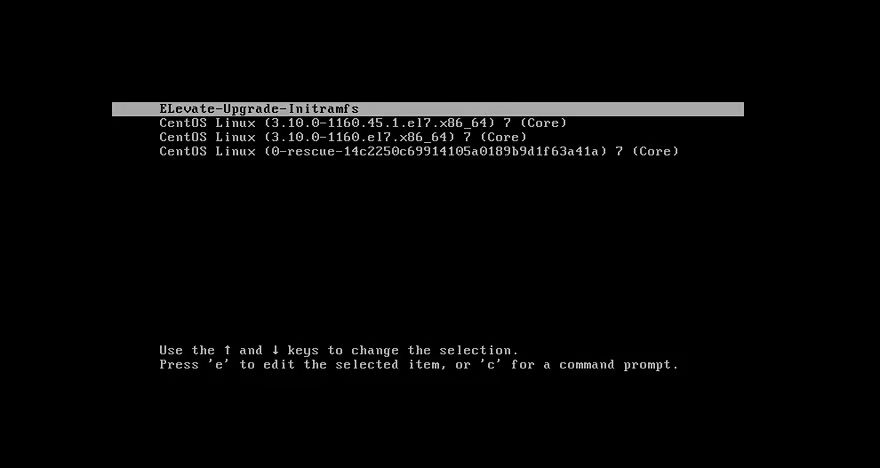
A new entry in GRUB called ELevate-Upgrade-Initramfs will appear. Hit Enter and wait for the upgrade process to finish. The system will be automatically booted into it.
And you will be welcomed by the AlmaLinux 8 GRUB menu at boot time.
Alma Linux 8 Boot Menu
Check the OS Version
To confirm that you have successfully migrated from CentOS 7 to AlmaLinux 8, check the OS version
cat /etc/redhat-release
Output
AlmaLinux release 8.4 (Electric Cheetah)
That’s all. Congratulations! You have successfully migrated to AlmaLinux 8.
(Optional) In addition, you can update the server hostname to match with AlmaLinux.
contabo.com : Migration Guide: CentOS to AlmaLinux, Rocky Linux and Other Alternatives
linuxiac.com : How to Migrate CentOS 7 to AlmaLinux 8: A Step-by-Step Guide
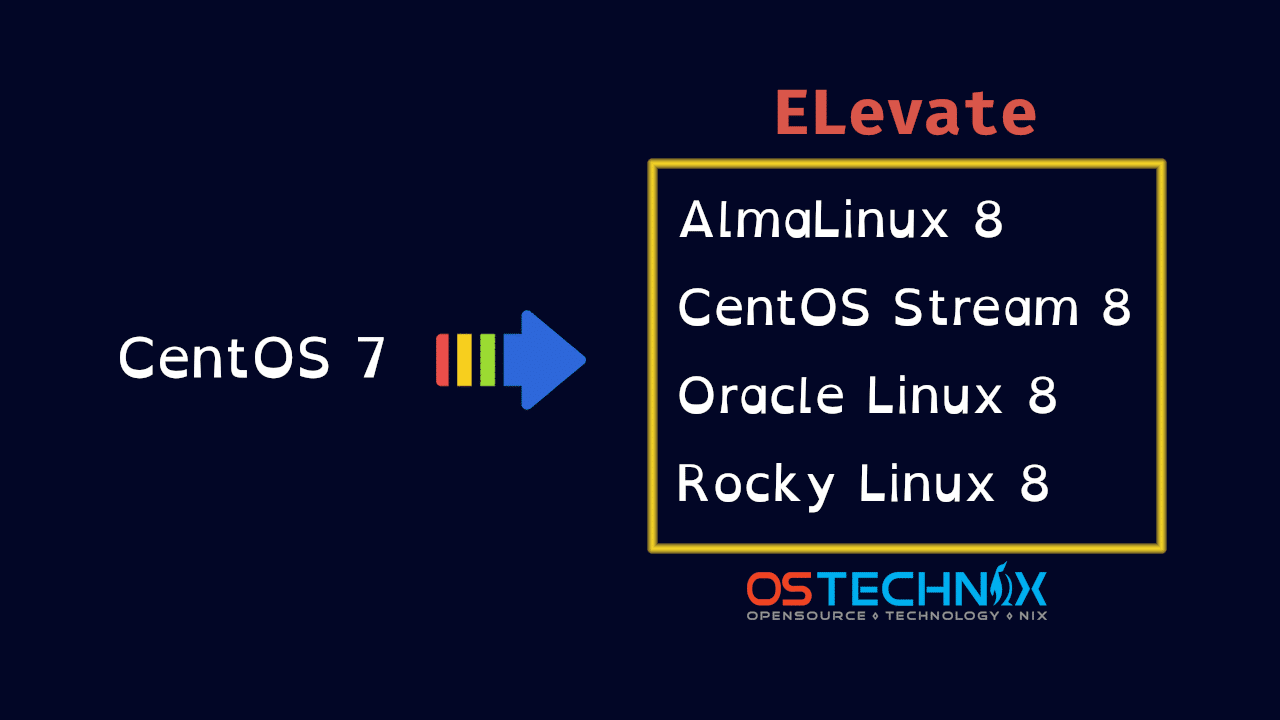
# Migrate centos 7 to other lunux
## Preparation
- install dnf on centos 7 #20
- Upgrade Ceonto 7 to Centos 8 #22
## Migrate implement:
| No | From Centos | To Other | Status |
| --- | --- | --- | --- |
| 1 | Centos 8<br> | AlmaLinux | Failed<br> |
| 2 | Centos 8<br> | Rocky Linux | Failed<br>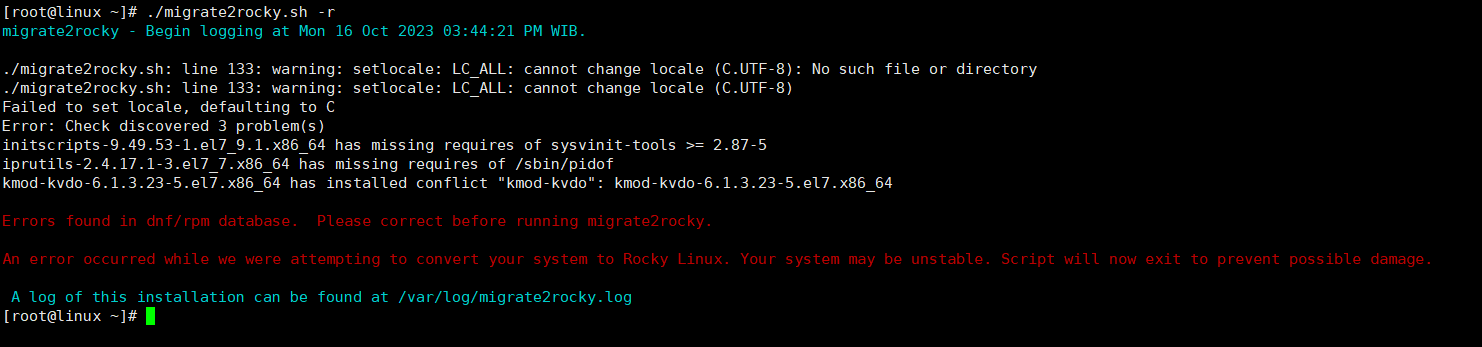 |
| 3 | Centos 8<br> | CentOS Stream | Failed<br>|
| 4 | Centos 8<br> | Oracle Linux | Failed |
| 5 | Centos 7<br> | AlmaLinux 9<br> | Success |
## Migrate From CentOS 8 to Oracle Linux
- <details>
<summary>How to migrate from CentOS 8 to AlmaLinux</summary>
Before migrating, update your current distribution by running this command:
```
dnf update
```
Download the distribution from GitHub using
```
curl -O https://raw.githubusercontent.com/AlmaLinux/almalinux-deploy/master/almalinux-deploy.sh
```
Assign all necessary permissions to the script:
```
chmod +x almalinux-deploy.sh
```
Now run the script by typing
```
./almalinux-deploy.sh
```
And finally
```
reboot
```
</details>
- <details>
<summary>How to migrate from CentOS 8 to Rocky Linux</summary>
Before migrating, update your current distribution by running this command:
```
dnf update
```
Rocky Linux developers have created a script called migrate2rocky. To obtain the distribution, just download it using this command:
```
curl -O https://raw.githubusercontent.com/rocky-linux/rocky-tools/main/migrate2rocky/migrate2rocky.sh
```
When the file has been finished downloading, give the script all necessary permissions by
```
chmod u+x migrate2rocky.sh
```
Now execute the script itself:
```
./migrate2rocky.sh -r
```
And finally
```
reboot
```
</details>
- <details>
<summary>How to migrate from CentOS 8 to CentOS Stream</summary>
Before migrating, update your current distribution by running this command:
```
dnf update
```
Start the installation by typing:
```
dnf install centos-release-stream
```
After the installation is done, you have to change the repository for CentOS Stream:
```
dnf swap centos-linux-repos centos-stream-repos
```
And at last, let’s sync all your existing packages with the new distribution:
```
dnf distro-sync
```
and finally
```
reboot
```
</details>
- <details>
<summary>How to Migrate From CentOS 8 to Oracle Linux</summary>
Before migrating, update your current distribution by running this command:
```
dnf update
```
Download the distribution from GitHub:
```
curl -O https://raw.githubusercontent.com/oracle/centos2ol/main/centos2ol.sh
```
Now run this command to replace your CentOS 8 with the Oracle:
```
./centos2ol.sh
```
And finally
```
reboot
```
</details>
- <details>
<summary>How to migrate from CentOS 7 to AlmaLinux 9</summary>
Take System Backup
Before upgrading, please back up all your essential data and take a snapshot of the complete CentOS 7 system. This way, you will be on the right side if anything goes wrong.
Alternatively, you can always use a command like the one below to archive all the more important directories and their contents in a single tar.gz archive file.
`sudo tar czf /centos7.tar.gz \
--exclude=/centos7.tar.gz \
--exclude=/dev \
--exclude=/mnt \
--exclude=/proc \
--exclude=/sys \
--exclude=/run \
--exclude=/tmp \
--exclude=/media \
--exclude=/lost+found \
/`
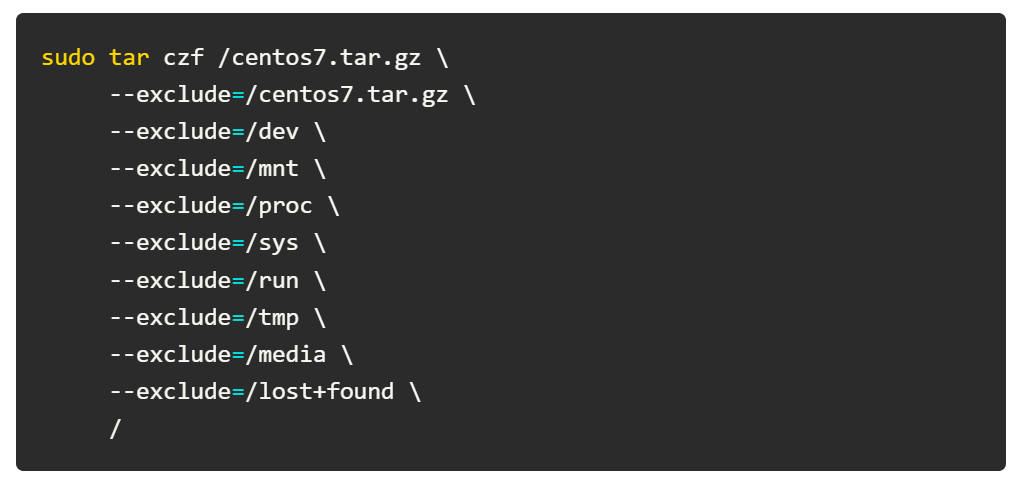
Of course, add more “–exclude=” parameters if you need to. Finally, the command creates a backup of all the files and directories by placing them in the centos7.tar.gz archive in the root (/) partition.
Then, this file must be transferred to another computer or drive, for example, with the help of the SCP command.
Upgrade the Current CentOS 7 System
The next step in the upgrade process is to ensure we have a wholly upgraded system. Update existing software with the following command
```
sudo yum update
```
Once all the packages are updated, reboot your system to apply the changes.
Now let's verify our current operating system version.
```
cat /etc/centos-release
```
Output
```
CentOS Linux release 7.9.2009 (Core)
```
As you can see, the system runs CentOS 7.9, the latest CentOS version in the 7.x branch.
Migrate CentOS 7 to AlmaLinux 8
Install ELevate
The first step in the upgrade process is installing the “elevate-release” package on your current CentOS 7 system.
sudo yum install -y http://repo.almalinux.org/elevate/elevate-release-latest-el7.noarch.rpm
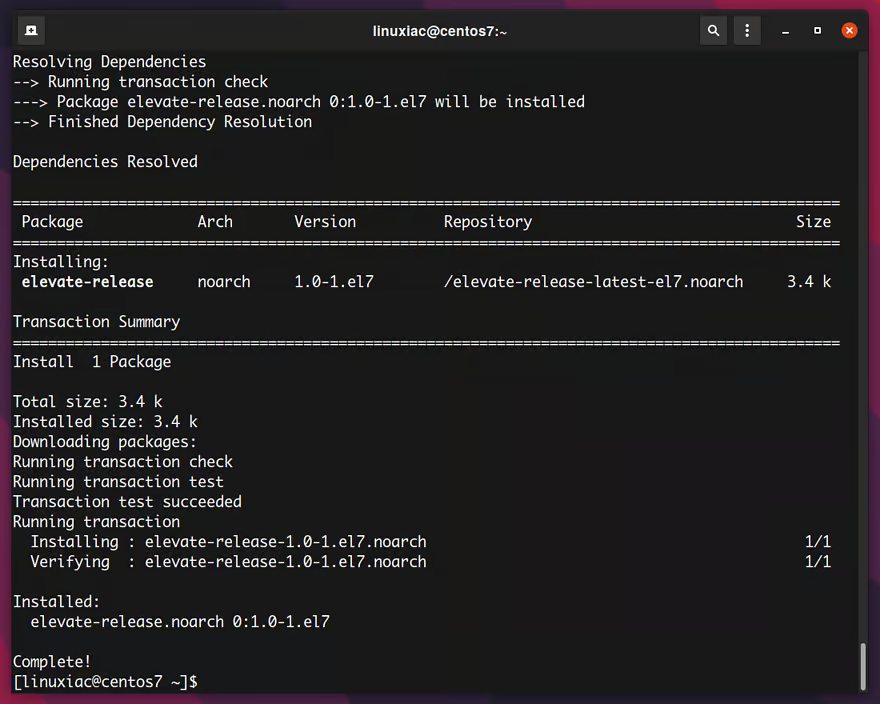
Installing the elevate-release package
Install Leapp and Migration Data
The migration process is based on using Red Hat’s Leapp utility. It combines Red Hat’s Leapp framework with a community-created library and service for its required migration metadata set.
Therefore the next step is to install the required packages, which in our case, we wish to upgrade from CentOS 7 to AlmaLinux 8.
sudo yum install -y leapp-upgrade leapp-data-almalinux
Start a Pre-upgrade Check
The next step is to start a pre-upgrade check. The below command verifies server compatibility without any actual changes
sudo leapp preupgrade
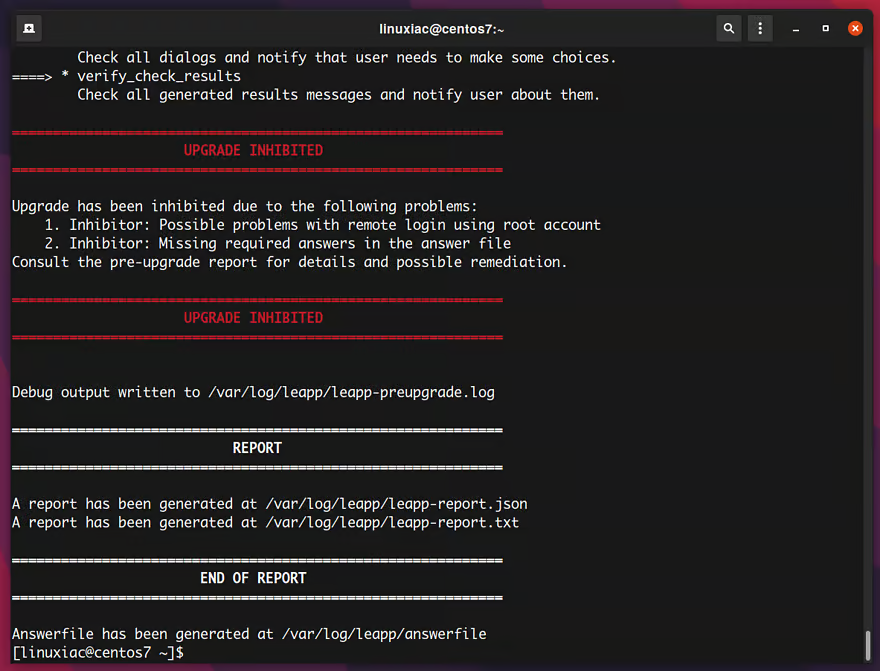
Probably the check will fail, but don’t panic! That’s normal because some tweaks are required in advance.
CentOS 7 to AlmaLinux 8 migration -Preupgrade check
According to the official documentation, those three commands are shown below to solve the problem. Just run them one after the other
```
sudo rmmod pata_acpi
```
```
echo PermitRootLogin yes | sudo tee -a /etc/ssh/sshd_config
```
```
sudo leapp answer --section remove_pam_pkcs11_module_check.confirm=True
```
(Optional) If you rerun the check, the pre-upgrade check will succeed.
```
sudo leapp preupgrade
```
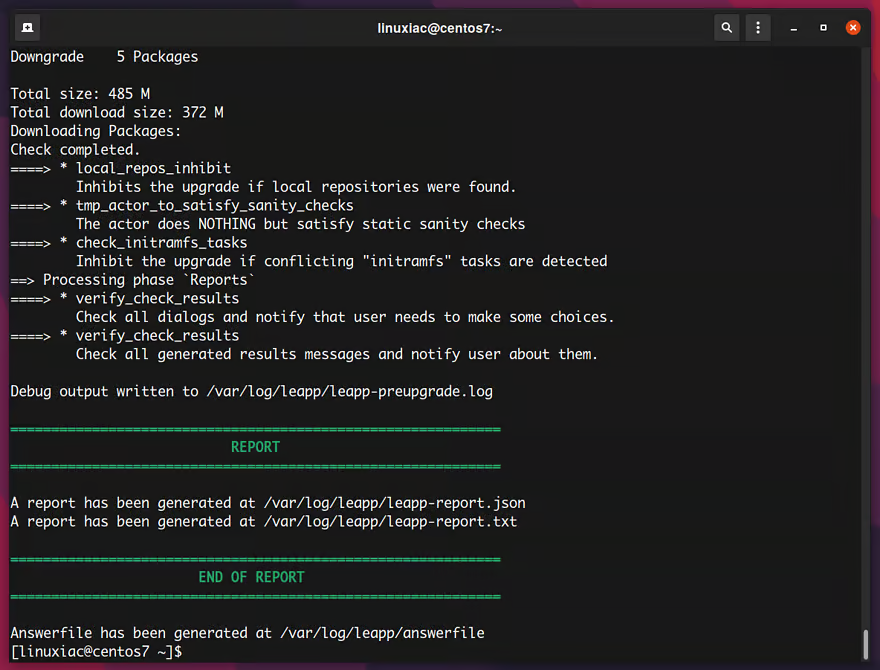
- CentOS 7 to AlmaLinux 8 migration Preupgrade check succeeded
Start the Upgrade Process from CentOS 7 to AlmaLinux 8
Now you can run the following command to migrate CentOS 7 to AlmaLinux 8.
```
sudo leapp upgrade
```
Be patient since the upgrade process could take some time. Once the migration is completed, you’ll be offered to reboot the system
```
sudo reboot
```
A new entry in GRUB called ELevate-Upgrade-Initramfs will appear. Hit Enter and wait for the upgrade process to finish. The system will be automatically booted into it.
And you will be welcomed by the AlmaLinux 8 GRUB menu at boot time.
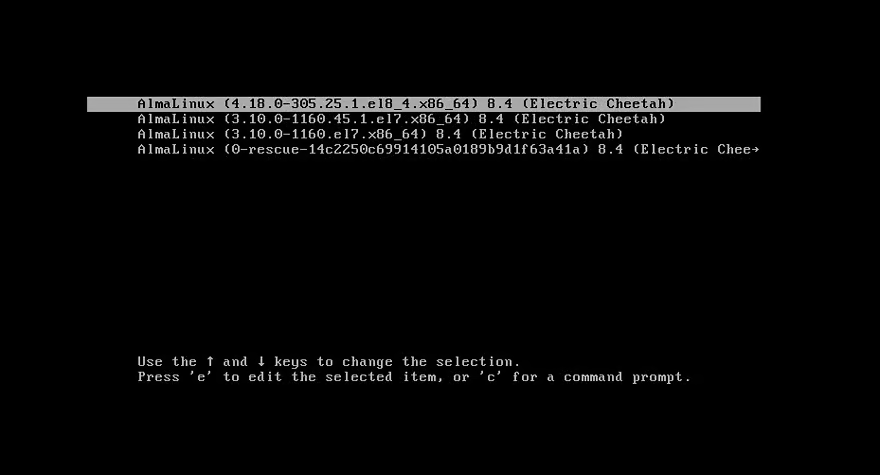
Alma Linux 8 Boot Menu
Check the OS Version
To confirm that you have successfully migrated from CentOS 7 to AlmaLinux 8, check the OS version
```
cat /etc/redhat-release
```
Output
AlmaLinux release 8.4 (Electric Cheetah)
That’s all. Congratulations! You have successfully migrated to AlmaLinux 8.
(Optional) In addition, you can update the server hostname to match with AlmaLinux.
sudo hostnamectl set-hostname almalinux8
sudo reboot
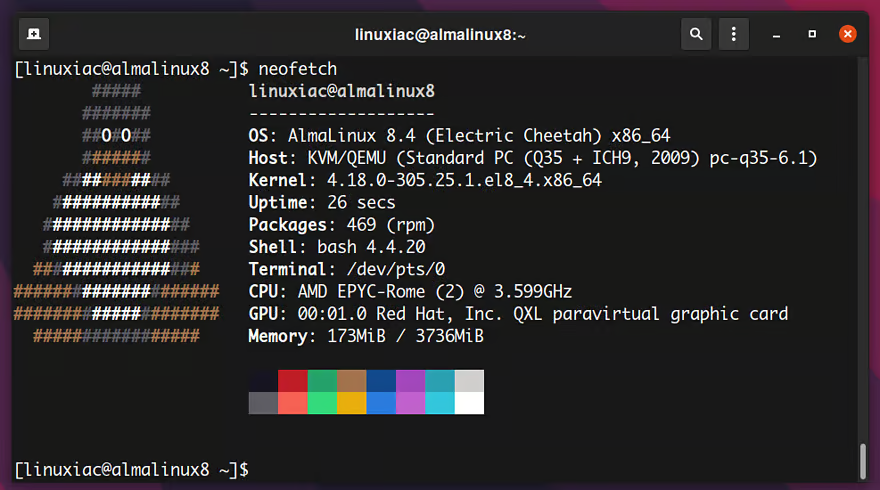
CentOS 7 to AlmaLinux 8 Migration succeeded
</details>
# refrensi
- [contabo.com](https://contabo.com/blog/migration-guide-centos/) : Migration Guide: CentOS to AlmaLinux, Rocky Linux and Other Alternatives
- [linuxiac.com](https://linuxiac.com/centos-7-to-almalinux-8-migration-guide/) : How to Migrate CentOS 7 to AlmaLinux 8: A Step-by-Step Guide


Migrate centos 7 to other lunux
Preparation
Migrate implement:
Migrate From CentOS 8 to Oracle Linux
How to migrate from CentOS 8 to AlmaLinux
Before migrating, update your current distribution by running this command:
Download the distribution from GitHub using
Assign all necessary permissions to the script:
Now run the script by typing
And finally
How to migrate from CentOS 8 to Rocky Linux
Before migrating, update your current distribution by running this command:
Rocky Linux developers have created a script called migrate2rocky. To obtain the distribution, just download it using this command:
When the file has been finished downloading, give the script all necessary permissions by
Now execute the script itself:
And finally
How to migrate from CentOS 8 to CentOS Stream
Before migrating, update your current distribution by running this command:
Start the installation by typing:
After the installation is done, you have to change the repository for CentOS Stream:
And at last, let’s sync all your existing packages with the new distribution:
and finally
How to Migrate From CentOS 8 to Oracle Linux
Before migrating, update your current distribution by running this command:
Download the distribution from GitHub:
Now run this command to replace your CentOS 8 with the Oracle:
And finally
How to migrate from CentOS 7 to AlmaLinux 9
Take System Backup
Before upgrading, please back up all your essential data and take a snapshot of the complete CentOS 7 system. This way, you will be on the right side if anything goes wrong.
Alternatively, you can always use a command like the one below to archive all the more important directories and their contents in a single tar.gz archive file.
sudo tar czf /centos7.tar.gz \ --exclude=/centos7.tar.gz \ --exclude=/dev \ --exclude=/mnt \ --exclude=/proc \ --exclude=/sys \ --exclude=/run \ --exclude=/tmp \ --exclude=/media \ --exclude=/lost+found \ /Of course, add more “–exclude=” parameters if you need to. Finally, the command creates a backup of all the files and directories by placing them in the centos7.tar.gz archive in the root (/) partition.
Then, this file must be transferred to another computer or drive, for example, with the help of the SCP command.
Upgrade the Current CentOS 7 System
The next step in the upgrade process is to ensure we have a wholly upgraded system. Update existing software with the following command
Once all the packages are updated, reboot your system to apply the changes.
Now let's verify our current operating system version.
Output
As you can see, the system runs CentOS 7.9, the latest CentOS version in the 7.x branch.
Migrate CentOS 7 to AlmaLinux 8
Install ELevate
The first step in the upgrade process is installing the “elevate-release” package on your current CentOS 7 system.
Installing the elevate-release package
Install Leapp and Migration Data
The migration process is based on using Red Hat’s Leapp utility. It combines Red Hat’s Leapp framework with a community-created library and service for its required migration metadata set.
Therefore the next step is to install the required packages, which in our case, we wish to upgrade from CentOS 7 to AlmaLinux 8.
Start a Pre-upgrade Check
The next step is to start a pre-upgrade check. The below command verifies server compatibility without any actual changes
Probably the check will fail, but don’t panic! That’s normal because some tweaks are required in advance.
CentOS 7 to AlmaLinux 8 migration -Preupgrade check
According to the official documentation, those three commands are shown below to solve the problem. Just run them one after the other
(Optional) If you rerun the check, the pre-upgrade check will succeed.
Start the Upgrade Process from CentOS 7 to AlmaLinux 8
Now you can run the following command to migrate CentOS 7 to AlmaLinux 8.
Be patient since the upgrade process could take some time. Once the migration is completed, you’ll be offered to reboot the system
A new entry in GRUB called ELevate-Upgrade-Initramfs will appear. Hit Enter and wait for the upgrade process to finish. The system will be automatically booted into it.

And you will be welcomed by the AlmaLinux 8 GRUB menu at boot time.

Alma Linux 8 Boot Menu
Check the OS Version
To confirm that you have successfully migrated from CentOS 7 to AlmaLinux 8, check the OS version
Output
AlmaLinux release 8.4 (Electric Cheetah)
That’s all. Congratulations! You have successfully migrated to AlmaLinux 8.
(Optional) In addition, you can update the server hostname to match with AlmaLinux.
sudo hostnamectl set-hostname almalinux8

sudo reboot
CentOS 7 to AlmaLinux 8 Migration succeeded
refrensi
contabo.com : Migration Guide: CentOS to AlmaLinux, Rocky Linux and Other Alternatives
linuxiac.com : How to Migrate CentOS 7 to AlmaLinux 8: A Step-by-Step Guide