
Install dan aktivasi Agisoft floating (network license) #4
Open
opened 2 years ago by rbsetiawan
·
3 comments

Loading…
Reference in new issue
There is no content yet.
Delete Branch '%!s(MISSING)'
Deleting a branch is permanent. It CANNOT be undone. Continue?
Install AgiSoft Foloating (Network) License :
Offline Activation
Pastikan Aplikasi Agisoft FLS Run di Server / Host yang di jadikan network license
Download Agisoft FLS
Windows 64 bit:
https://download.agisoft.com/agisoft-license-server_1_0_5_x64.zip
https://s3-eu-west-1.amazonaws.com/download.agisoft.com/agisoft-license-server_1_0_5_x64.zip
Windows 32 bit:
https://download.agisoft.com/agisoft-license-server_1_0_5_x86.zip
https://s3-eu-west-1.amazonaws.com/download.agisoft.com/agisoft-license-server_1_0_5_x86.zip
Linux 64bit:
https://download.agisoft.com/agisoft-license-server_1_0_5_amd64.tar.gz
https://s3-eu-west-1.amazonaws.com/download.agisoft.com/agisoft-license-server_1_0_5_amd64.tar.gz
macOS:
https://download.agisoft.com/agisoft-license-server_1_0_5_mac.tar.gz
https://s3-eu-west-1.amazonaws.com/download.agisoft.com/agisoft-license-server_1_0_5_mac.tar.gz
Extract Agisoft FLS -> run Agisoft FLS
Buka https://activate.agisoft.com/activate-offline Input kode license ->
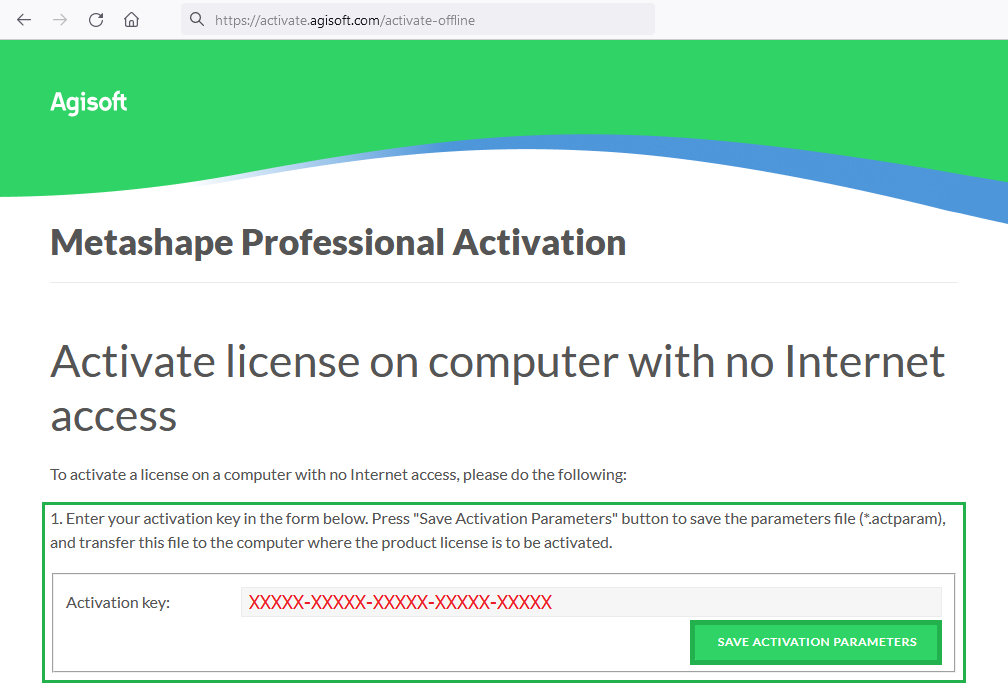
Save Activation Parameters -> Simpan file activation parameters (*.actparam)
Buka Agisoft FLS Web Interface http://127.0.0.1:5842

Pilih Licenses -> Activate -> Import activation parameters file (.actparam) -> Save Activation Request -> Simpan file activation request (.actreq)
Buka https://activate.agisoft.com/activate-offline Browse file (.actreq) -> Save Activation Response -> Simpan file response (.actresp)
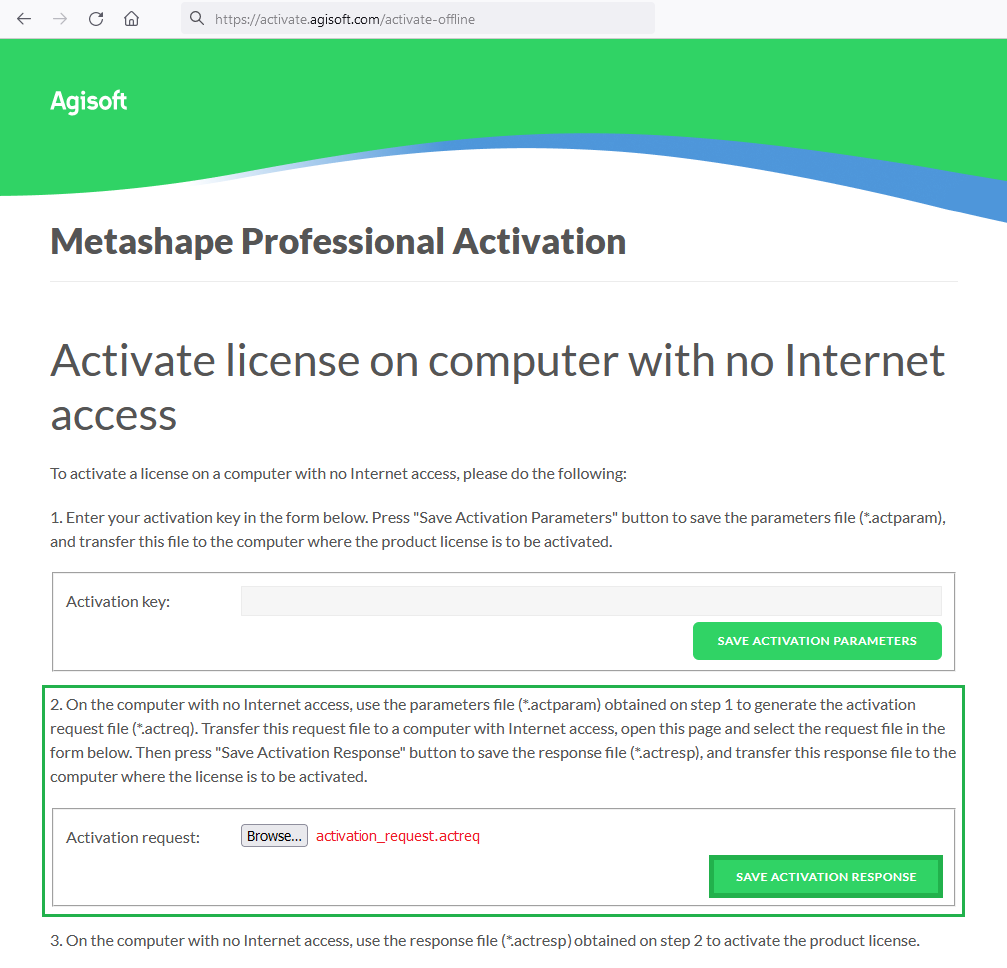
Buka Agisoft FLS Web Interface http://127.0.0.1:5842

Pilih Licenses -> Activate -> Import activation response file (*.actresp) -> Install License
Install AgiSoft Foloating (Network) License :
Pastikan Aplikasi Agisoft FLS Run di Server / Host yang di jadikan network license
Download Agisoft FLS
Windows 64 bit:
https://download.agisoft.com/agisoft-license-server_1_0_5_x64.zip
https://s3-eu-west-1.amazonaws.com/download.agisoft.com/agisoft-license-server_1_0_5_x64.zip
Windows 32 bit:
https://download.agisoft.com/agisoft-license-server_1_0_5_x86.zip
https://s3-eu-west-1.amazonaws.com/download.agisoft.com/agisoft-license-server_1_0_5_x86.zip
Linux 64bit:
https://download.agisoft.com/agisoft-license-server_1_0_5_amd64.tar.gz
https://s3-eu-west-1.amazonaws.com/download.agisoft.com/agisoft-license-server_1_0_5_amd64.tar.gz
macOS:
https://download.agisoft.com/agisoft-license-server_1_0_5_mac.tar.gz
https://s3-eu-west-1.amazonaws.com/download.agisoft.com/agisoft-license-server_1_0_5_mac.tar.gz
Extract Agisoft FLS -> run Agisoft FLS
Buka https://activate.agisoft.com/activate-offline Input kode license ->

Save Activation Parameters -> Simpan file activation parameters (*.actparam)
Buka Agisoft FLS Web Interface http://127.0.0.1:5842

Pilih Licenses -> Activate -> Import activation parameters file (.actparam) -> Save Activation Request -> Simpan file activation request (.actreq)
Buka https://activate.agisoft.com/activate-offline Browse file (.actreq) -> Save Activation Response -> Simpan file response (.actresp)

Buka Agisoft FLS Web Interface http://127.0.0.1:5842

Pilih Licenses -> Activate -> Import activation response file (*.actresp) -> Install License
Online Activation
contex 1. Install FLS 2. Run Agisoft FLS utility from the unpacked archive on the computer that is intended to be used as a license server. 3. Open web-interface on the Agisoft License Server web-interface in the Internet browser http://server-ip:5842 (for example: http://192.168.10.200:5842) When you open the server web interface page for the first time, you need to create login and password for your administrator-user account.-------------------------------Activation versi 1-------------------- https://agisoft.freshdesk.com/support/solutions/articles/31000133073-floating-license-activation-procedure
Press Status button in the left frame menu and get to the ISV servers table:then press "agisoft" button in the Activate column:Use the following parameters:ISV: agisoft
Activation Key (INPUT YOUR FLS activation key): 0000-0000-0000-0000
Press the Activate/Deactivate Alternate Server Hostid button:To complete the procedure, go to the folder where the FLS utility has been unpacked to and delete mock license file - agisoft.lic.Then return to web-interface of the license management system and go to Reread/Restart Servers section in the left frame menu.
Select "-all-" from the dropdown list of the ISV field. Click REREAD/ RESTART button. License file rlm_agisoft_0000-0000-0000-0000.lic will be created automatically (the name would correspond to the FLS activation key).
-------------- Other activation version ---------------------
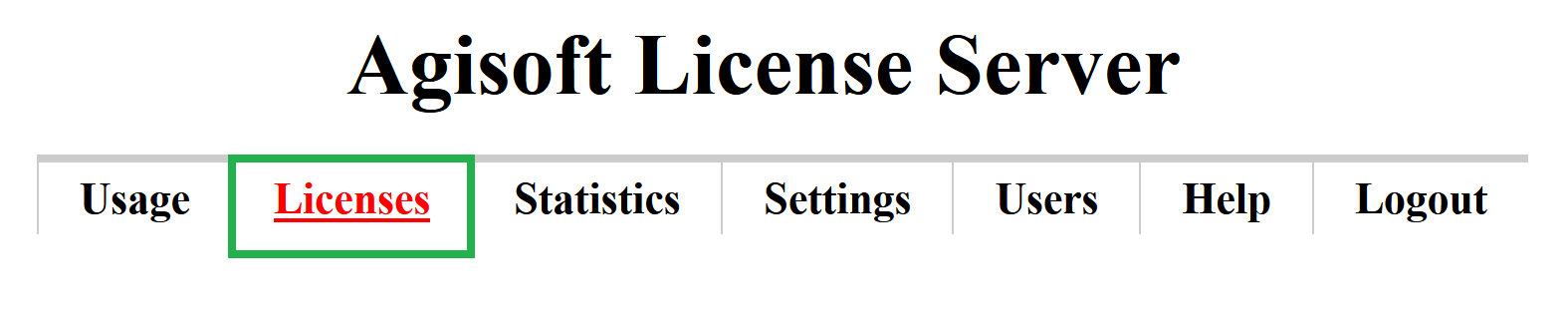
4. Click Licenses button:
After that on the Licenses page ( http://192.168.10.200:5842/licenses.html) click Activate button:
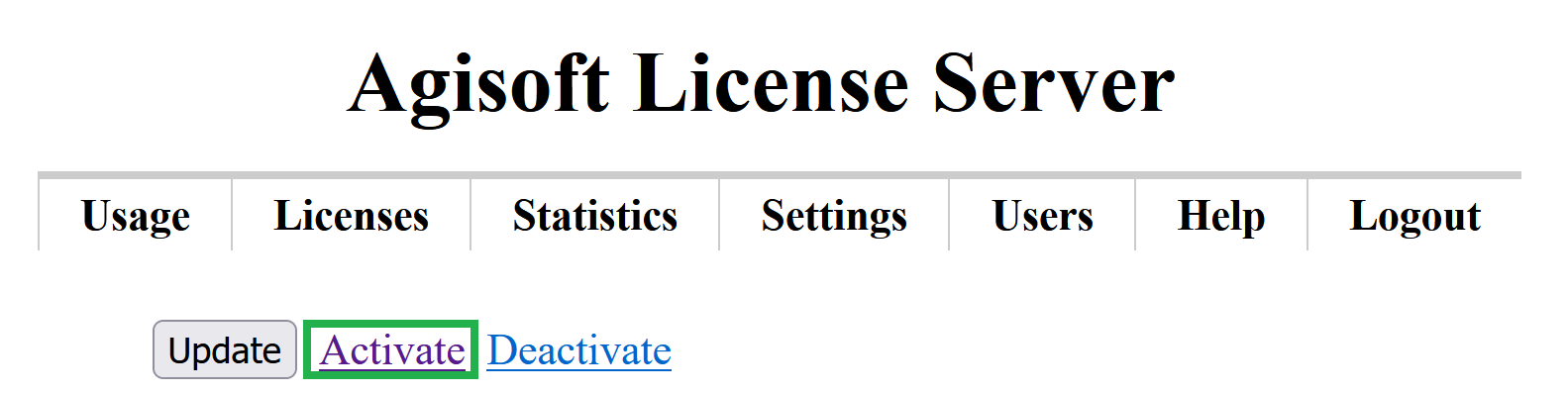
Activate floating license online
Input your activation key and license count. In the example below, we used the values:
Activation key: XXXXX-XXXXX-XXXXX-XXXXX-XXXXX
License count: 10 (
sesuai jumlah license)Ofline Actiovation
on Windows pysical machine:
In case the license server should be run in the virtual environment, please generate additional request file for that purpose:
on Windows:
Aktivasi Agisoft Floating : https://agisoft.freshdesk.com/support/solutions/articles/31000169229--metashape-2-x-floating-license-activation-procedure
Aktivasi client : https://agisoft.freshdesk.com/support/solutions/articles/31000169378--metashape-2-x-linking-client-machine-to-the-license-server