./configurewebadaptor.sh -m server -w https://portal-sig.ugm.ac.id/server/webadaptor -g https://server-arcgis.arcgis.ugm:6443 -u serveradm -p passUGM001 -a true
Configuring the Web Adaptor from the command line
You can configure the Web Adaptor using the command line utility (configurewebadaptor.sh) in /webadaptor//java/tools. This is particularly advantageous if the machine hosting the Web Adaptor does not have a graphical user interface (GUI).
The available parameters are as follows:
configurewebadaptor.sh -m -w -g <MachineName|URL> -u -p -a
—The component with which the Web Adaptor will be configured. By default, this parameter is set to server, meaning that the Web Adaptor can be configured for use with server site. Below are the parameters you can use to configure other components.
ArcGIS Server, Image Server or As Server—server
Portal for ArcGIS—portal
ArcGIS Mission Server—mission
Notebook Server—notebook
Video Server—video
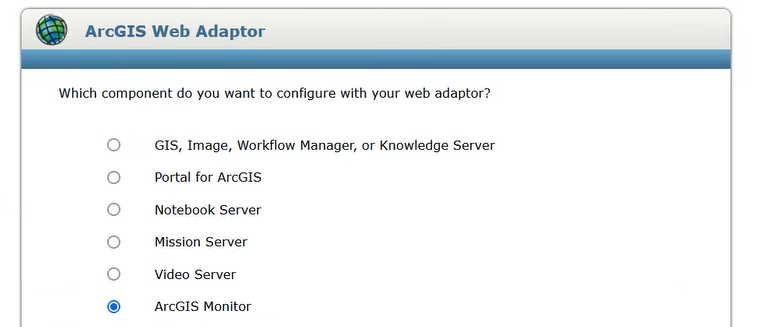
ArcGIS Monitor—monitor
# Tompat location
/opt/tomcat
# Web Adaptor https://enterprise.arcgis.com/en/web-adaptor/latest/install/java-linux/configure-arcgis-web-adaptor-server.htm
copy war file to /opt/tomcat/webapps
esri@portal-arcgis:/arcgis/webadaptor11.4/java/tools$
```
./configurewebadaptor.sh -m server -w https://portal-sig.ugm.ac.id/server/webadaptor -g https://server-arcgis.arcgis.ugm:6443 -u serveradm -p passUGM001 -a true
```
Configuring the Web Adaptor from the command line
You can configure the Web Adaptor using the command line utility (configurewebadaptor.sh) in <ArcGIS Web Adaptor installation directory>/webadaptor/<current version>/java/tools. This is particularly advantageous if the machine hosting the Web Adaptor does not have a graphical user interface (GUI).
The available parameters are as follows:
configurewebadaptor.sh -m <Mode> -w <WebAdaptorURL> -g <MachineName|URL> -u <Username> -p <Password> -a <AdminAccessEnabled>
<Mode>—The component with which the Web Adaptor will be configured. By default, this parameter is set to server, meaning that the Web Adaptor can be configured for use with server site. Below are the parameters you can use to configure other components.
ArcGIS Server, Image Server or As Server—server
Portal for ArcGIS—portal
ArcGIS Mission Server—mission
Notebook Server—notebook
Video Server—video
ArcGIS Monitor—monitor
Operating systems that support systemd
If your operating system supports the use of systemd to bootstrap and manage processes (for example, if you are using Red Hat Enterprise Linux (RHEL) Server 7.x), follow these steps to configure ArcGIS Server to start with the operating system:
Within a command shell, switch to root user.
Copy /framework/etc/scripts/arcgisserver.service unit file to /etc/systemd/system. Change file permissions of /etc/systemd/system/arcgisserver.service from 700 to 600.
This file is installed with ArcGIS Server 11.4.
Still as root user, run the following command to automatically create the links in /etc/systemd/system/multi-user.target.wants:
systemctl enable arcgisserver.service
To verify that the systemd service is properly configured, restart the service and check its status.
systemctl stop arcgisserver.service
systemctl start arcgisserver.service
systemctl status arcgisserver.service
End the root user session.
Reboot the operating system and verify that ArcGIS Server restarts properly.
# set auto start arcgis https://enterprise.arcgis.com/en/server/latest/install/linux/install-arcgis-server-on-one-machine.htm
Operating systems that support systemd
If your operating system supports the use of systemd to bootstrap and manage processes (for example, if you are using Red Hat Enterprise Linux (RHEL) Server 7.x), follow these steps to configure ArcGIS Server to start with the operating system:
Within a command shell, switch to root user.
Copy <ArcGIS Server installation directory>/framework/etc/scripts/arcgisserver.service unit file to /etc/systemd/system. Change file permissions of /etc/systemd/system/arcgisserver.service from 700 to 600.
This file is installed with ArcGIS Server 11.4.
Still as root user, run the following command to automatically create the links in /etc/systemd/system/multi-user.target.wants:
# systemctl enable arcgisserver.service
To verify that the systemd service is properly configured, restart the service and check its status.
# systemctl stop arcgisserver.service
# systemctl start arcgisserver.service
# systemctl status arcgisserver.service
End the root user session.
Reboot the operating system and verify that ArcGIS Server restarts properly.
esri@workflow-arcgis:/etc/systemd/system$ sudo systemctl enable workflowmanager.service
Failed to enable unit: Cannot alias workflowmanager.service as ArcGISWorkflowManager.
Error swapipiness ArcGIS Data Store Spatiotemporal
Attempt to configure data store failed. Caused by: Minimum operating system limits are set too low for ArcGIS Data Store to start. Set number of file handles to '65,536'.Failed to pass prerequisite check. Please set swappiness to '1'.;
done to add
Error ulimit -n 65536 ArcGIS Data Store Spatiotemporal
# Configuration for relational and tile cache data stores
# LimitNOFILE=65535
# LimitNPROC=25059
# Configuration for spatiotemporal big data store
LimitNOFILE=65536
LimitNPROC=25059
LimitAS=infinity
LimitFSIZE=infinity
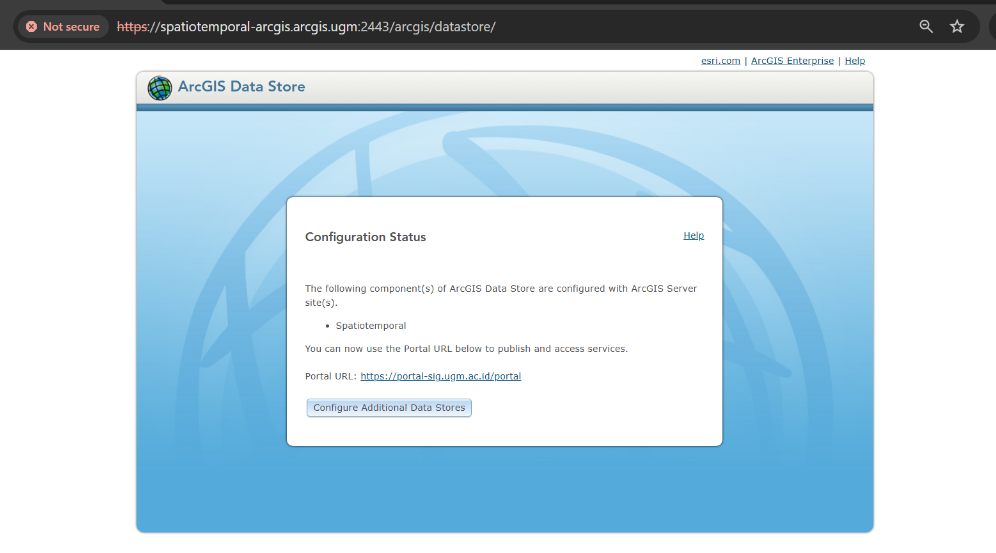
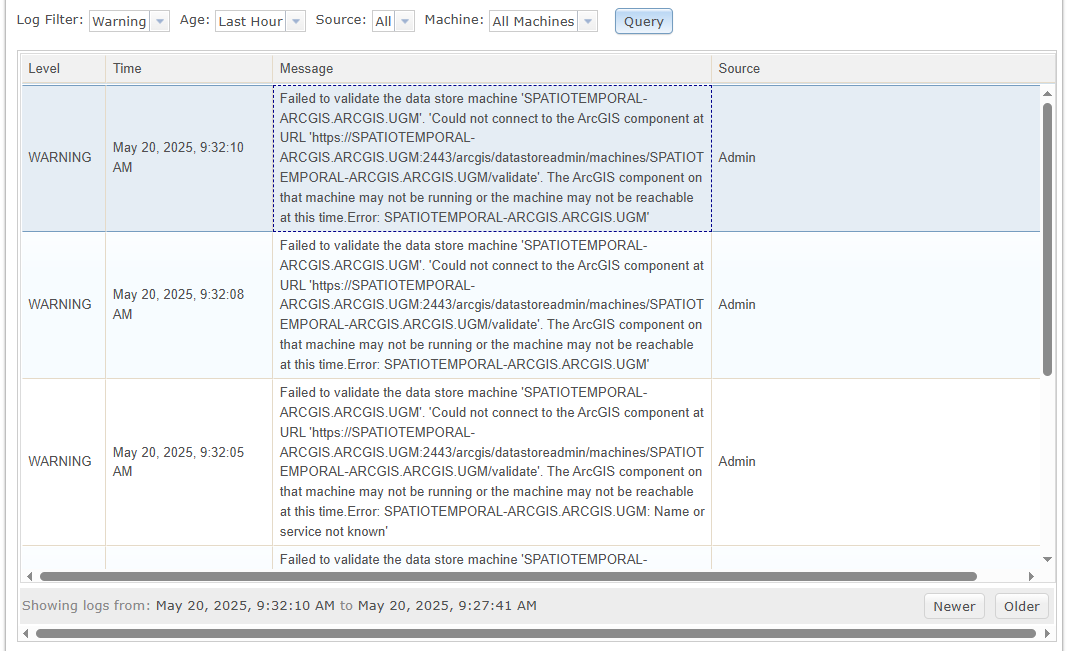
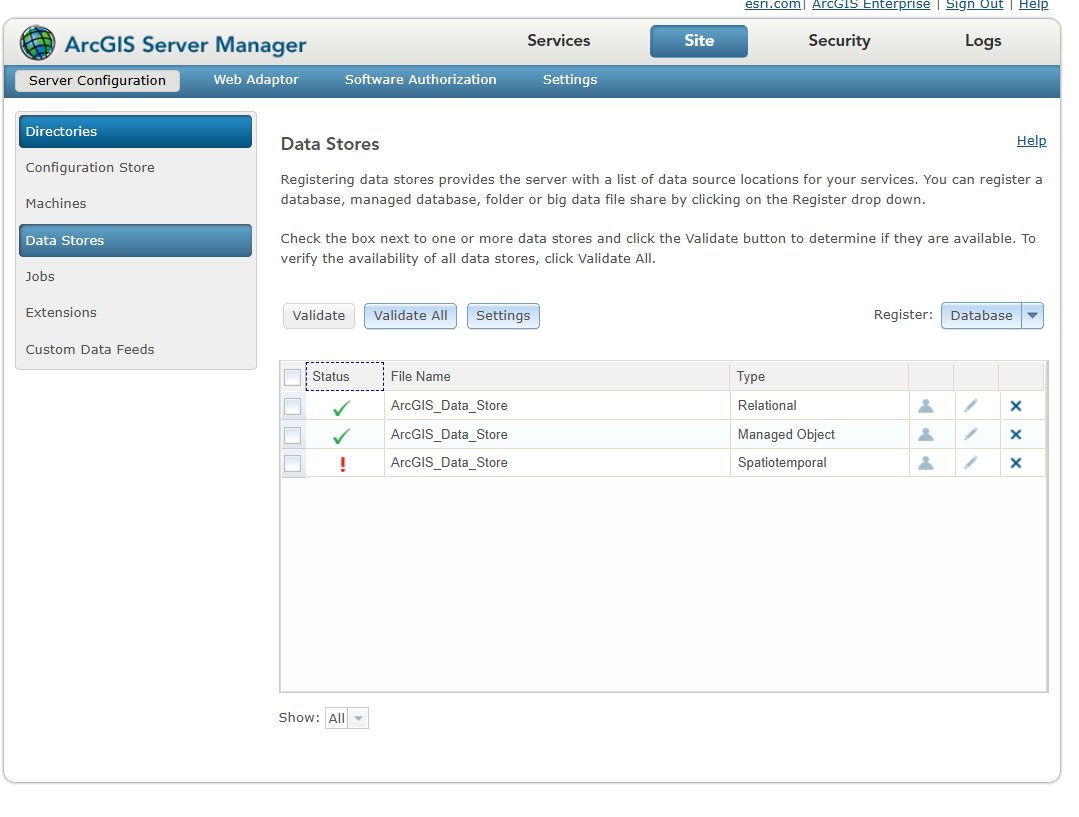
Failed to validate the data store machine 'SPATIOTEMPORAL-ARCGIS.ARCGIS.UGM'. 'Could not connect to the ArcGIS component at URL 'https://SPATIOTEMPORAL-ARCGIS.ARCGIS.UGM:2443/arcgis/datastoreadmin/machines/SPATIOTEMPORAL-ARCGIS.ARCGIS.UGM/validate'. The ArcGIS component on that machine may not be running or the machine may not be reachable at this time.Error: SPATIOTEMPORAL-ARCGIS.ARCGIS.UGM'
## Error Workflow manager services
esri@workflow-arcgis:/etc/systemd/system$ sudo systemctl enable workflowmanager.service
Failed to enable unit: Cannot alias workflowmanager.service as ArcGISWorkflowManager.
## Error swapipiness ArcGIS Data Store Spatiotemporal
Attempt to configure data store failed. Caused by: Minimum operating system limits are set too low for ArcGIS Data Store to start. Set number of file handles to '65,536'.Failed to pass prerequisite check. Please set swappiness to '1'.;
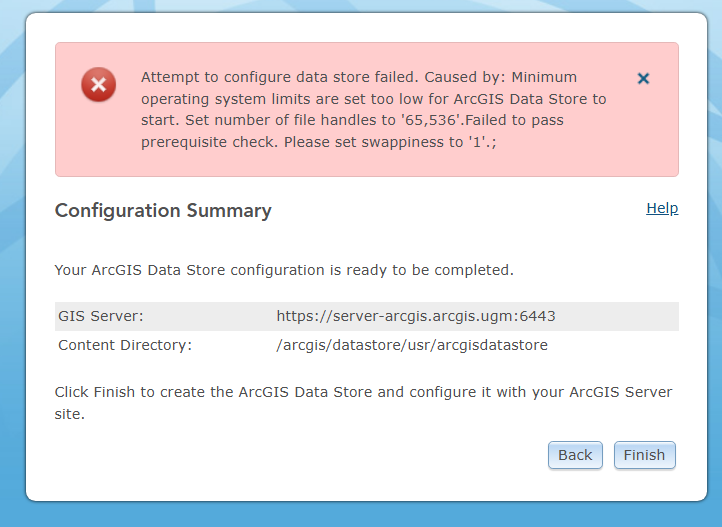
- done to add
```
```
## Error ulimit -n 65536 ArcGIS Data Store Spatiotemporal
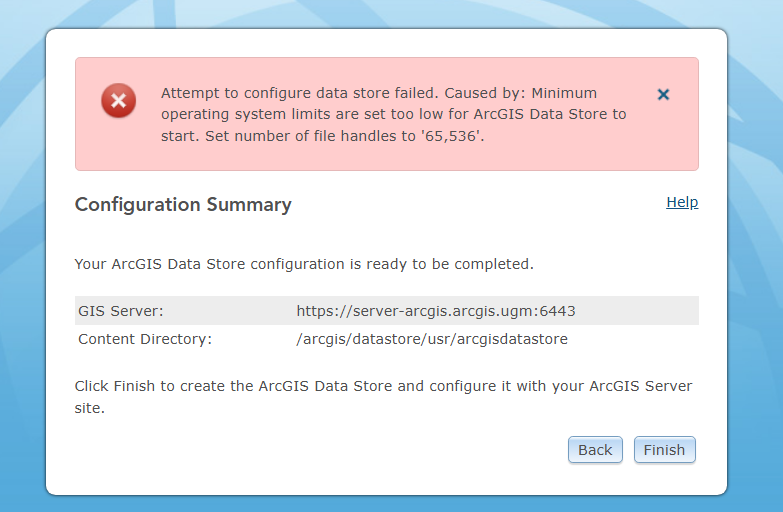
- done to edit arcgisdatastore.services : https://enterprise.arcgis.com/en/data-store/10.8/install/linux/install-data-store.htm
```
# Configuration for relational and tile cache data stores
# LimitNOFILE=65535
# LimitNPROC=25059
# Configuration for spatiotemporal big data store
LimitNOFILE=65536
LimitNPROC=25059
LimitAS=infinity
LimitFSIZE=infinity
```
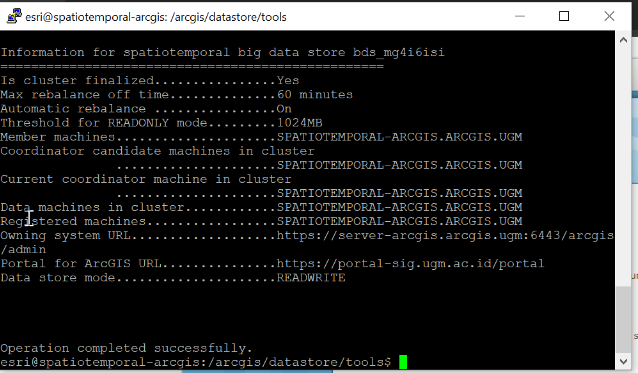
```
Failed to validate the data store machine 'SPATIOTEMPORAL-ARCGIS.ARCGIS.UGM'. 'Could not connect to the ArcGIS component at URL 'https://SPATIOTEMPORAL-ARCGIS.ARCGIS.UGM:2443/arcgis/datastoreadmin/machines/SPATIOTEMPORAL-ARCGIS.ARCGIS.UGM/validate'. The ArcGIS component on that machine may not be running or the machine may not be reachable at this time.Error: SPATIOTEMPORAL-ARCGIS.ARCGIS.UGM'
```
# video server
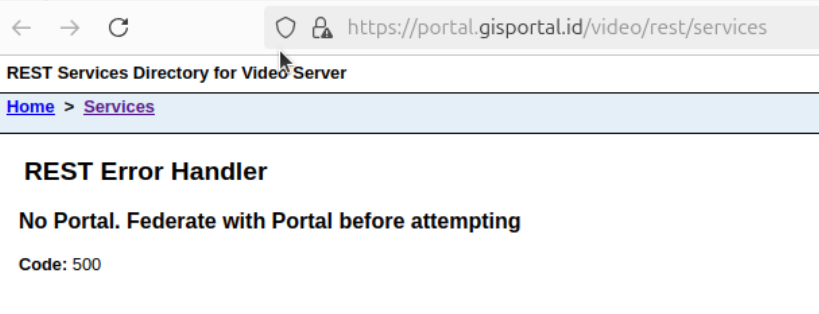
- config role
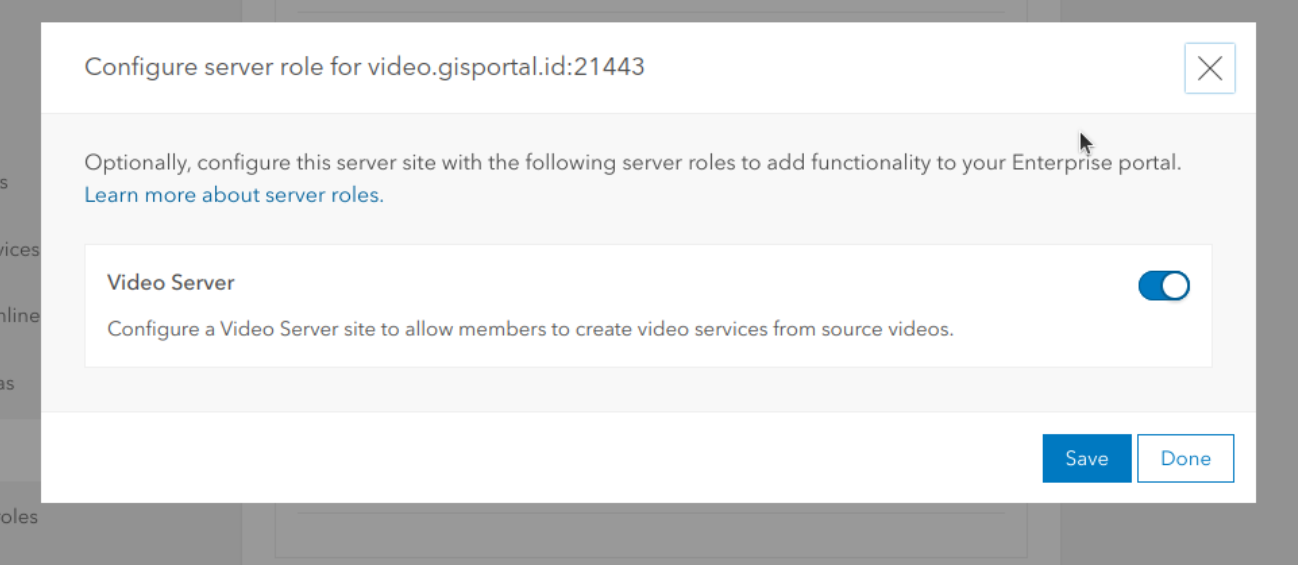
- config role
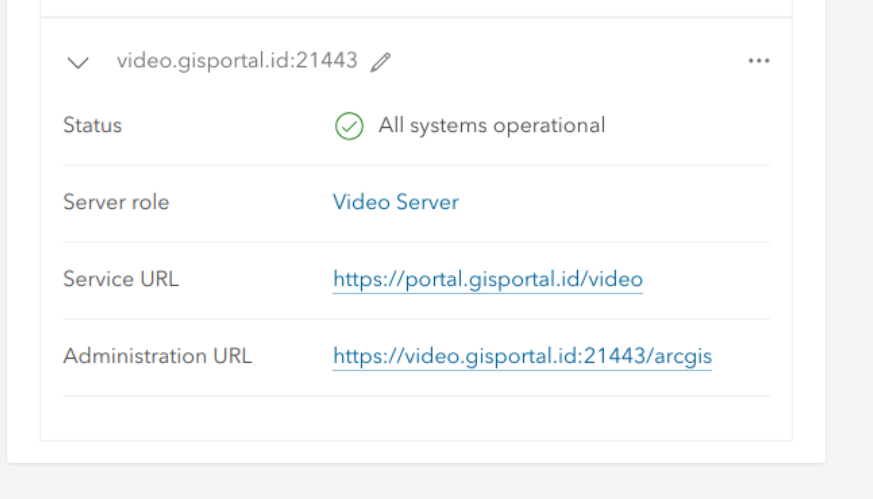
vm spatiotemporal pending (arcgis server can ping other host)
arcgis image server done
arcgis video no ping to other host
only open from local connection
after federeted
error open from publick domain
arcgis geoevent server pending (arcgis server can ping other host)
arcgis knowledge server pending (available vm graph)
arcgis notebook server hold to next week
# note
#### host progress
- portal done
- *arcgis server no ping to other host*
- relatioanal done
- vm object done
- vm spatiotemporal *pending (arcgis server can ping other host)*
- arcgis image server done
- *arcgis video no ping to other host*
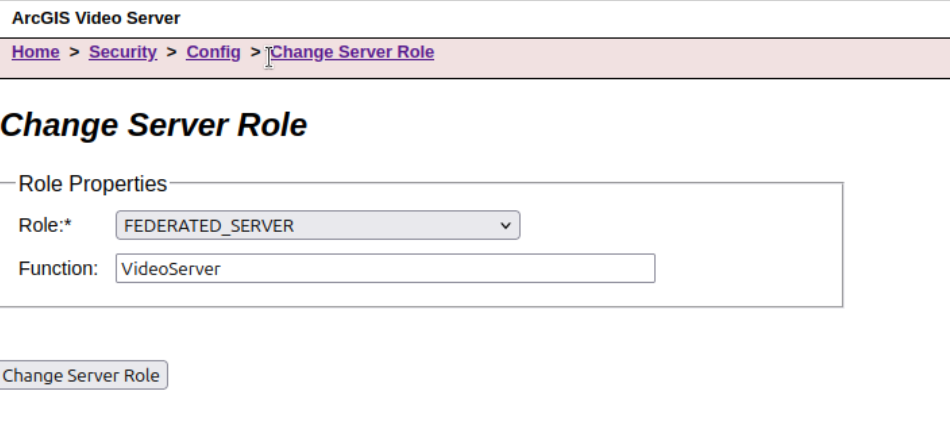
- only open from local connection
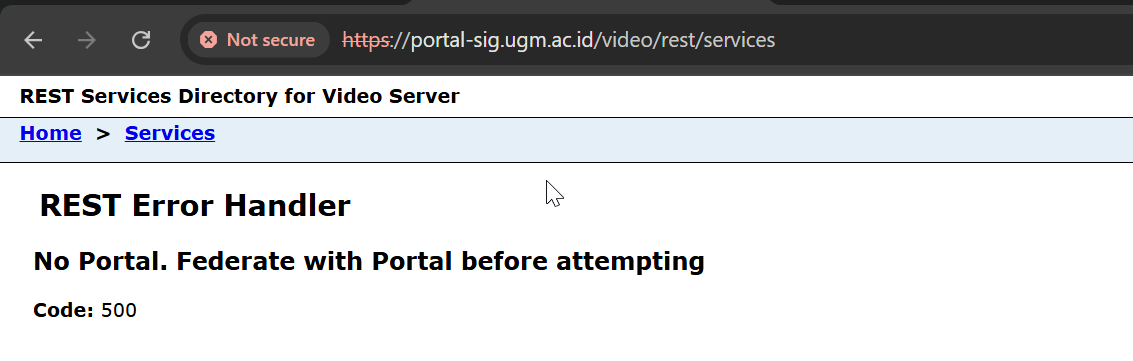
- after federeted
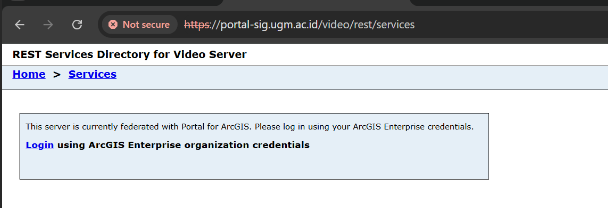
- error open from publick domain
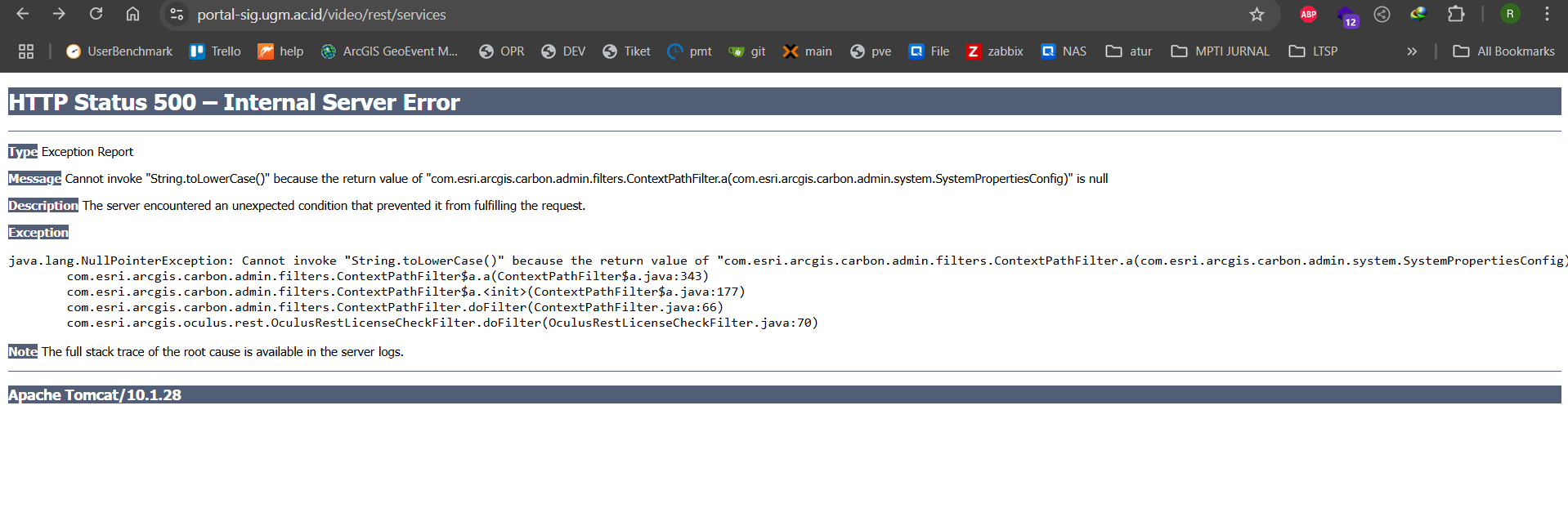
- arcgis geoevent server *pending (arcgis server can ping other host)*
- arcgis knowledge server *pending (available vm graph)*
- arcgis notebook server hold to next week


host: arcgis-portal.dev.ugm.ac.id
host : server-arcgis.arcgis.ugm
host: datastore-arcgis.arcgis.ugm (done)
workflow-arcgis.arcgis.ugm (done)
image-arcgis.arcgis.ugm (done)
video-arcgis.arcgis.ugm (next webadaptor)
set services auto start
https://enterprise.arcgis.com/en/documentation/install/video/latest/linux/introduction-to-video-server.htm
notebook-arcgis.arcgis.ugm
knowledge-arcgis.arcgis.ugm (progress)
set services auto start
geoevent-arcgis.arcgis.ugm (aktivasi)
set services auto start
spatiotemporal-arcgis.arcgis.ugm Error Host does not exist
Install Guide
ulimit

ulimit conf

install dir /arcgis

mkdir /arcgis

sudo chmod 777 /arcgis

Install ArcGIS Workflow manager
hostnamectl
lsblk
df -h
df -h /tmp
lscpu
top
lshw
ip a
netstat -ntlp
sudo ufw allow
ulimit -Hn -Hu
ulimit -Sn -Su
sudo nano /etc/security/limits.conf
esri soft nofile 65535
esri hard nofile 65535
esri soft nproc 25059
esri hard nproc 25059
LimitNOFILE=65536
LimitNPROC=25059
LimitAS=infinity
LimitFSIZE=infinity
sudo mkdir /arcgis
sudo chmod 777 /arcgis
./Setup -m silent -l yes -d /arcgis/
ArcGIS Server
./authorizeSoftware -f /home/esri/EducationSiteArcGISServerEnterprise_ArcGISServer_1510701.prvc -o /home/esri/
ArcGIS Data Store
./Setup -m silent -l yes -d /arcgis/ -f Graph
Graph
Object
Relational
TileCache
Spatiotemporal
Complete
Tompat location
/opt/tomcat
Web Adaptor https://enterprise.arcgis.com/en/web-adaptor/latest/install/java-linux/configure-arcgis-web-adaptor-server.htm
copy war file to /opt/tomcat/webapps
esri@portal-arcgis:/arcgis/webadaptor11.4/java/tools$
Configuring the Web Adaptor from the command line
You can configure the Web Adaptor using the command line utility (configurewebadaptor.sh) in /webadaptor//java/tools. This is particularly advantageous if the machine hosting the Web Adaptor does not have a graphical user interface (GUI).
The available parameters are as follows:
configurewebadaptor.sh -m -w -g <MachineName|URL> -u -p -a
—The component with which the Web Adaptor will be configured. By default, this parameter is set to server, meaning that the Web Adaptor can be configured for use with server site. Below are the parameters you can use to configure other components.
ArcGIS Server, Image Server or As Server—server

Portal for ArcGIS—portal
ArcGIS Mission Server—mission
Notebook Server—notebook
Video Server—video
ArcGIS Monitor—monitor
set auto start arcgis https://enterprise.arcgis.com/en/server/latest/install/linux/install-arcgis-server-on-one-machine.htm
Operating systems that support systemd
If your operating system supports the use of systemd to bootstrap and manage processes (for example, if you are using Red Hat Enterprise Linux (RHEL) Server 7.x), follow these steps to configure ArcGIS Server to start with the operating system:
Within a command shell, switch to root user.
Copy /framework/etc/scripts/arcgisserver.service unit file to /etc/systemd/system. Change file permissions of /etc/systemd/system/arcgisserver.service from 700 to 600.
This file is installed with ArcGIS Server 11.4.
Still as root user, run the following command to automatically create the links in /etc/systemd/system/multi-user.target.wants:
systemctl enable arcgisserver.service
To verify that the systemd service is properly configured, restart the service and check its status.
systemctl stop arcgisserver.service
systemctl start arcgisserver.service
systemctl status arcgisserver.service
End the root user session.
Reboot the operating system and verify that ArcGIS Server restarts properly.
run console arcgis
Error Workflow manager services
esri@workflow-arcgis:/etc/systemd/system$ sudo systemctl enable workflowmanager.service
Failed to enable unit: Cannot alias workflowmanager.service as ArcGISWorkflowManager.
Error swapipiness ArcGIS Data Store Spatiotemporal
Attempt to configure data store failed. Caused by: Minimum operating system limits are set too low for ArcGIS Data Store to start. Set number of file handles to '65,536'.Failed to pass prerequisite check. Please set swappiness to '1'.;
Error ulimit -n 65536 ArcGIS Data Store Spatiotemporal
Geo Evenet Ubuntu 20.04.1
https://enterprise.arcgis.com/en/geoevent/latest/install/linux/installing-geoevent.htm
Set Auto run at services
Automatically start the GeoEvent Server and Gateway daemons when the machine is rebooted:
ArcGIS Data Store Spatiotemporal
video server
config role

config role

note
host progress
portal done
arcgis server no ping to other host
arcgis image server done
arcgis video no ping to other host

arcgis geoevent server pending (arcgis server can ping other host)
arcgis knowledge server pending (available vm graph)
arcgis notebook server hold to next week
ArcGIS Notebook Server
Install dockcer
install notebook server
WebAdaptor