Create Survey123 from *.xlxs file #49

Open
opened 3 years ago by rbsetiawan · 2 comments
Owner

Create Survey123 from *.xlxs file

  • ArcGIS Enterprise url:
    Portal for ArcGIS: Portal for ArcGIS 11.0

  • Username: nurdin

  • Password:

source

  • ArcGIS Survey 123 connect (Desktop Apps)
  • formsurvey123.xlxs telampir

step

## Create Survey123 from `*.xlxs file` - ArcGIS Enterprise url: [Portal for ArcGIS](https://rnd00.gisportal.id): Portal for ArcGIS 11.0 - Username: nurdin - Password: ## source - ArcGIS Survey 123 connect (Desktop Apps) - formsurvey123.xlxs telampir ## step
rbsetiawan added the
Portal
RND
labels 3 years ago

1. Upload Form Survey
2. Browse File
3. Issue Eror form

![1. Upload Form Survey](/attachments/5a531576-e6af-4a42-ae43-3a17478f2e17) ![2. Browse File](/attachments/dfc18190-ed02-4f20-b799-dcbe6454f1dc) ![3. Issue Eror form](/attachments/75617a03-c950-47d7-b7b3-4758ceb96388)
Poster
Owner

solusi

Error terjadi karena terdapat field yang belum terkonfigurasi dengan baik.

sheet setting
field instance_name
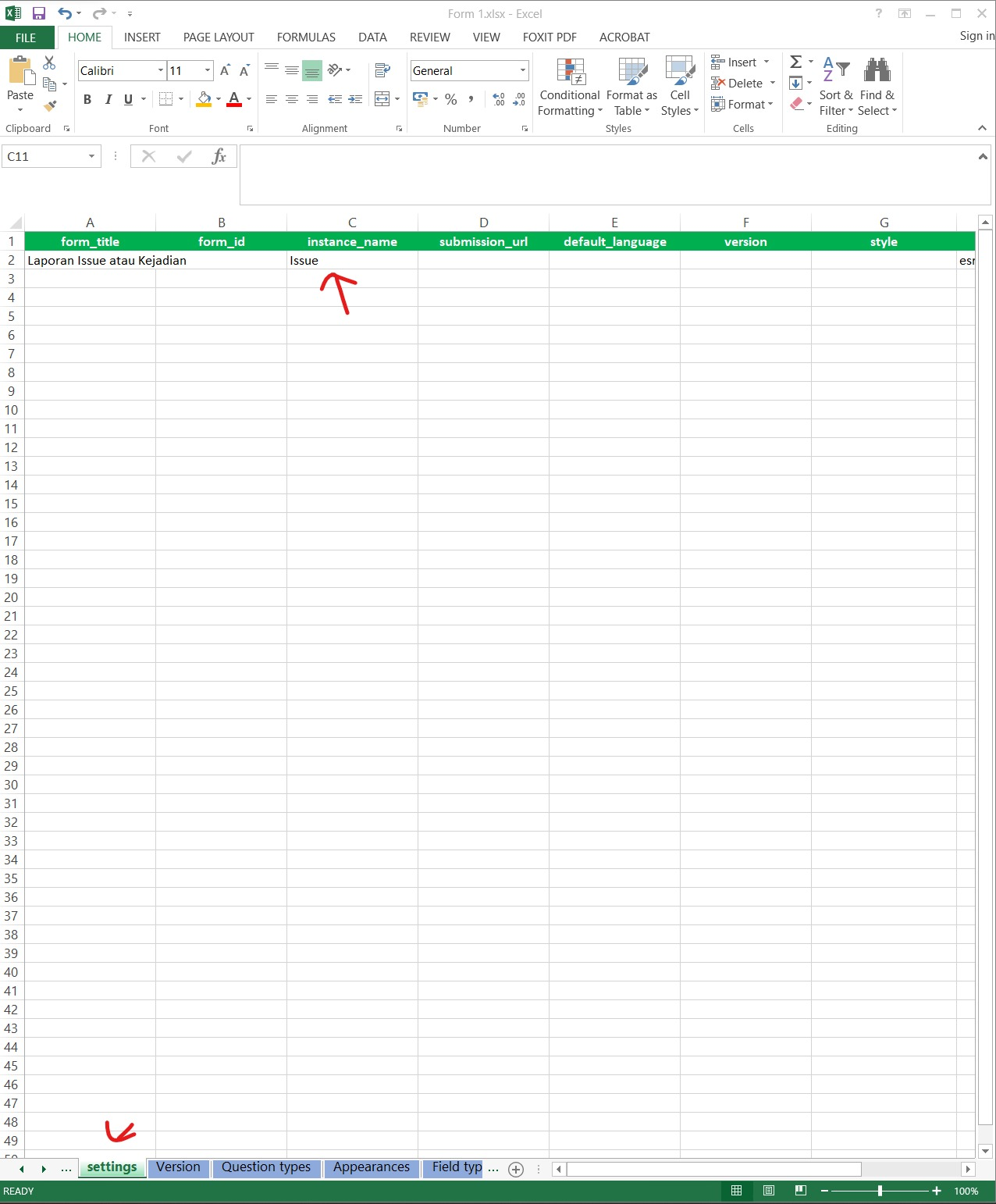
image

dapat di lihat pada laman Survey123 Error : Position source access error #51

## solusi Error terjadi karena terdapat field yang belum terkonfigurasi dengan baik. sheet setting field instance_name ![image](/attachments/5d4a3c92-d57f-4f65-95a6-15bf5351e501) ### dapat di lihat pada laman Survey123 Error : Position source access error #51
rbsetiawan added the
Solvent
label 3 years ago
Sign in to join this conversation.
Loading…
There is no content yet.