ArcGIS Knowledge merupakan bagian dari ArcGIS Enterprise yang digunakan untuk membangun knowledge graph berbasis relasi data.
Komponen:
ArcGIS Server (Knowledge Server)
ArcGIS Data Store (Graph Store / ArangoDB)
2. Preparation
2.1 Network & Security
Agar Graph Store (ArangoDB) berjalan normal:
Allow inbound TCP:
2443 → ArcGIS Data Store (Data Store config & komunikasi)
6443 → ArcGIS Server (Admin & REST)
7443 → Portal for ArcGIS
Jika masih gagal:
Disable sementara Windows Firewall / Windows Security untuk memastikan tidak ada blocking internal
3. Install dan Config ArcGIS Knowledge
3.1 Install ArGIS server pada mesin DEV21
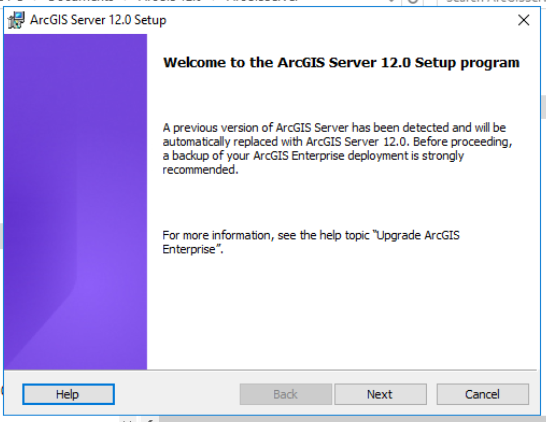
jalankan installer
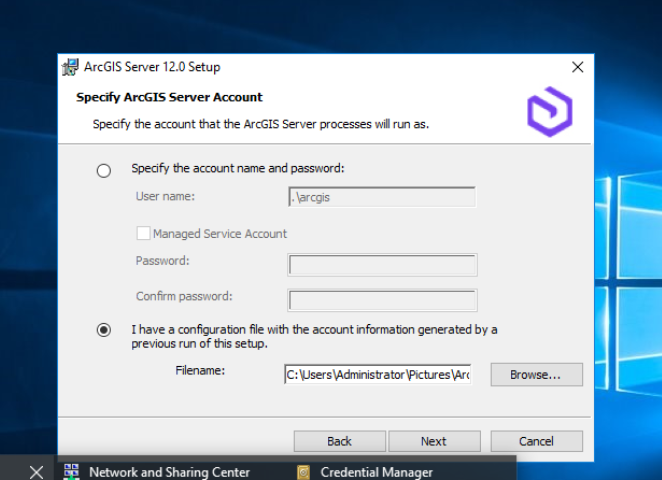
Tentukan account service
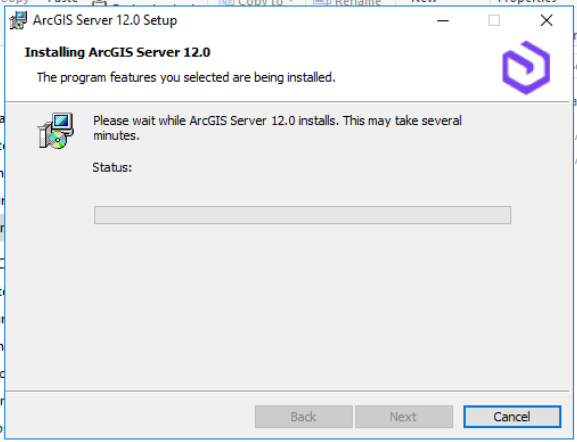
selesaikan installasi
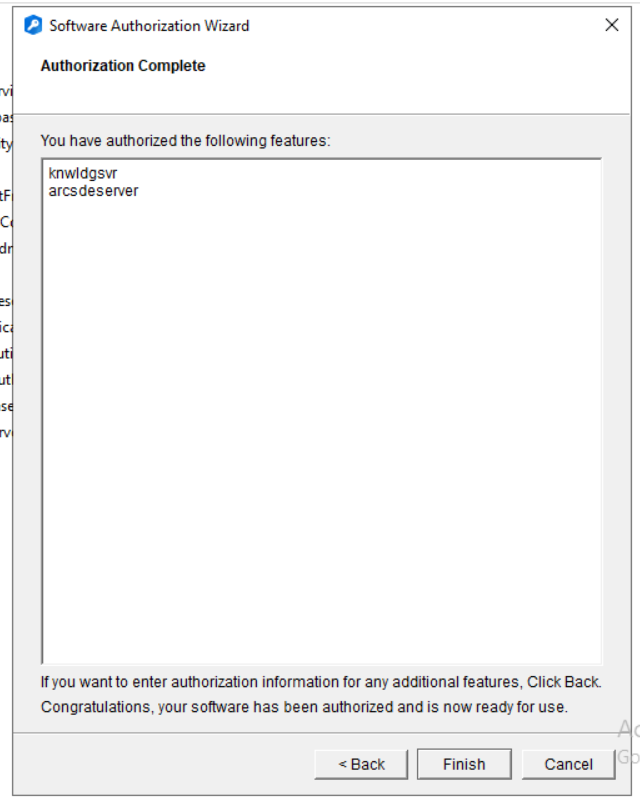
3.2 Authorize License
Gunakan file license (.ecp)
Pastikan role Knowledge aktif
3.3 Create Site
Akses:
https://hostname:6443/arcgis/manager
Pilih Create a Site
Tentukan:
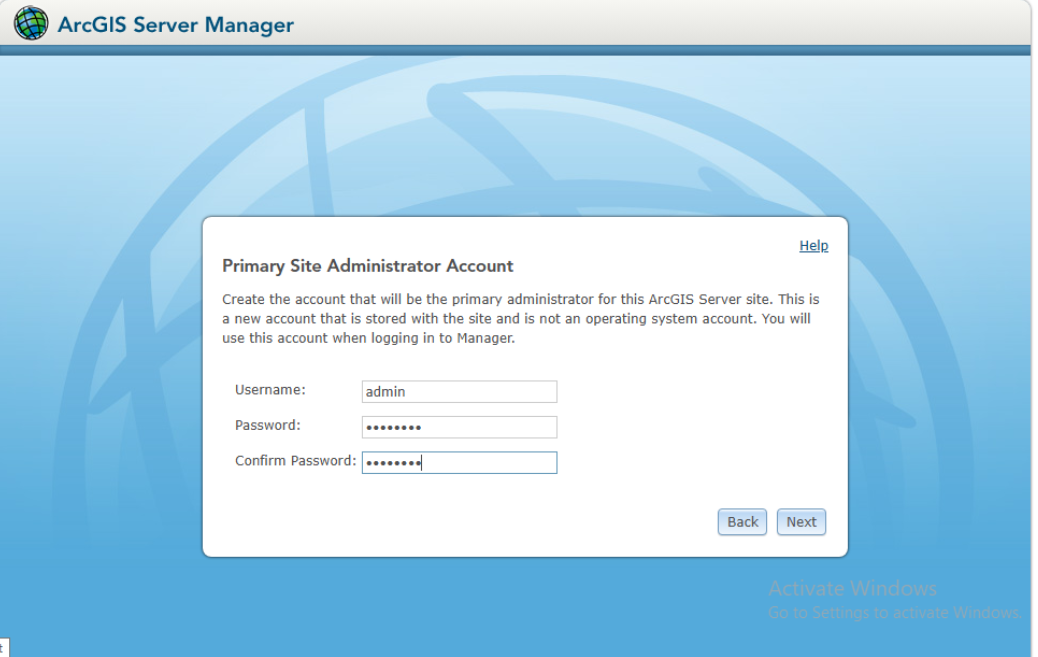
Administrator Acc
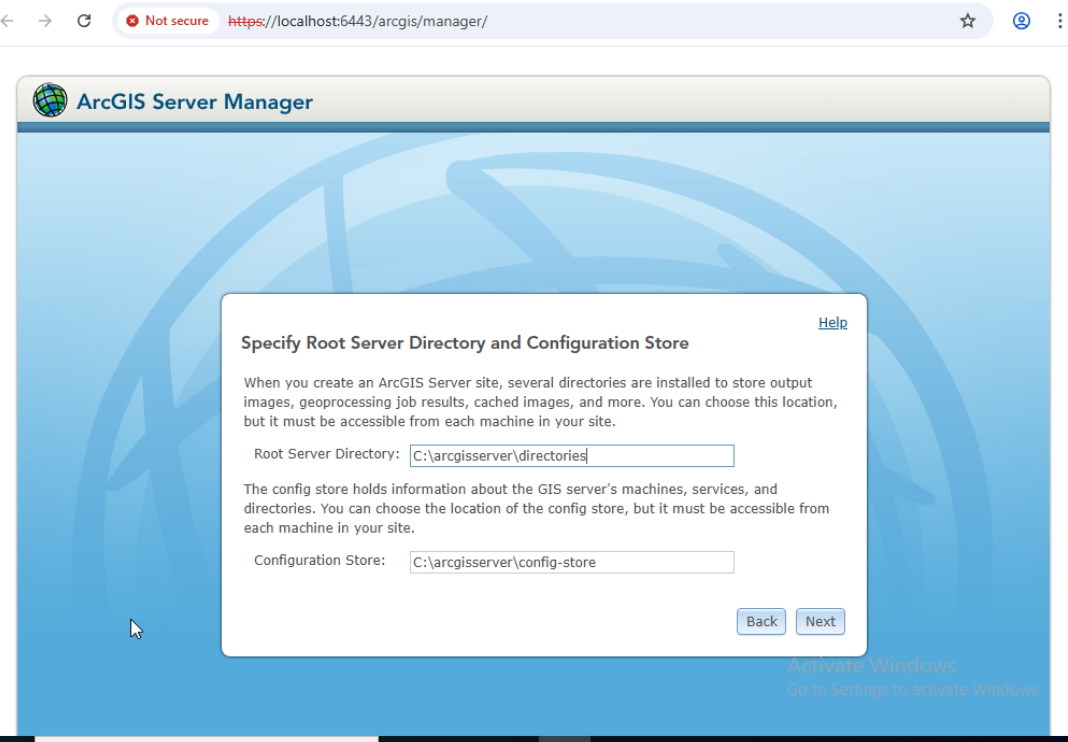
Server directory dan Config Store
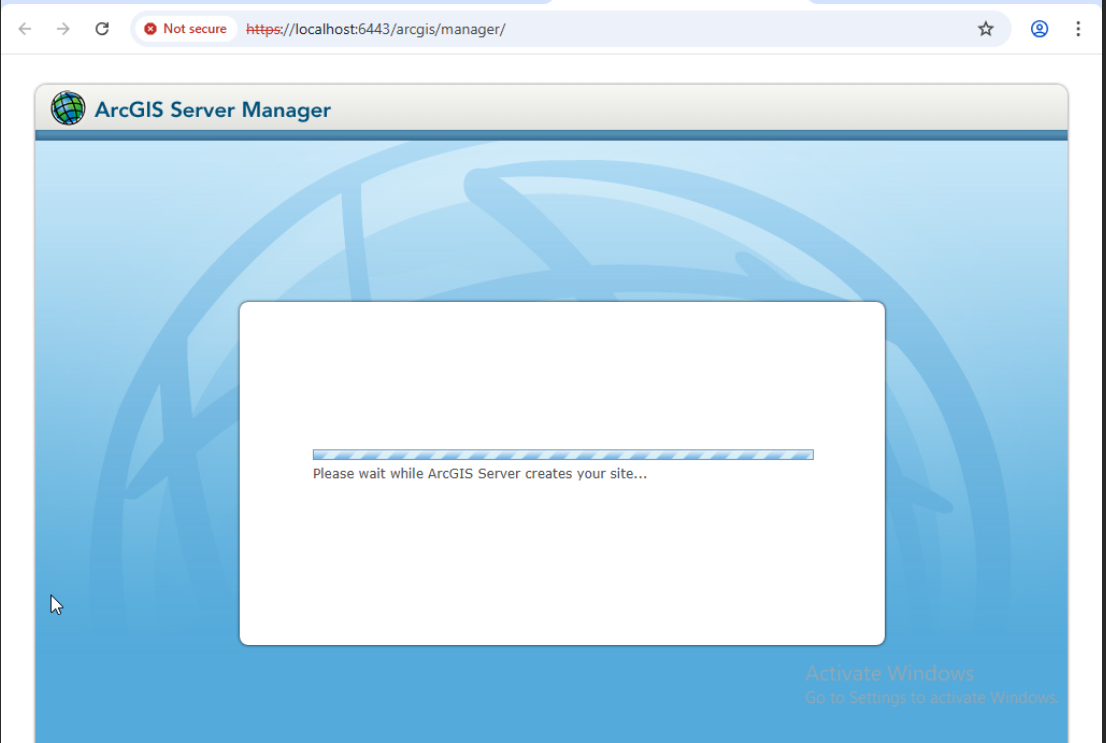
Finish Create site
4. Install dan config ArcGIS Webadaptor pada mesin DEV11 ArcGIS Enterprise
4.1 Install webdapator 12.0
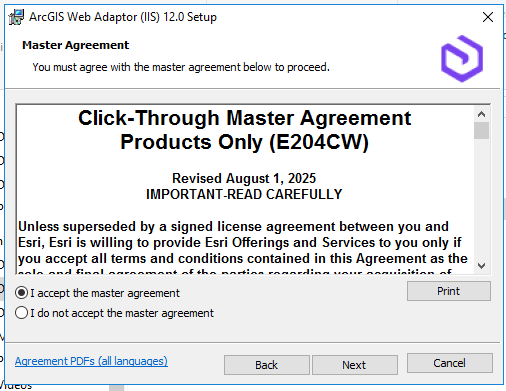
jalankan Installer
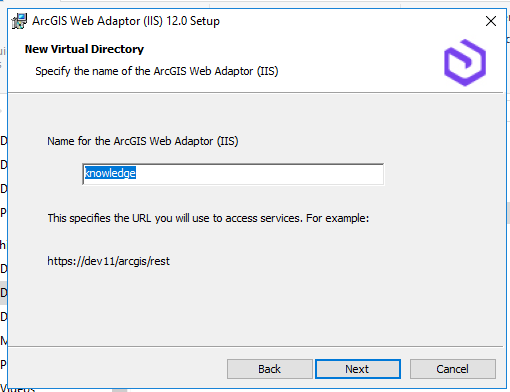
Name for ArcGIS Webdapator
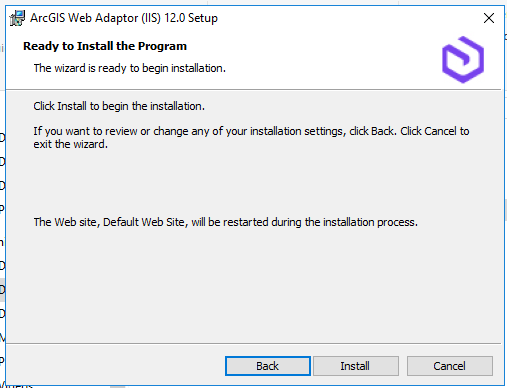
Install webadaptor
4.2 Config Knowledge server webadaptor
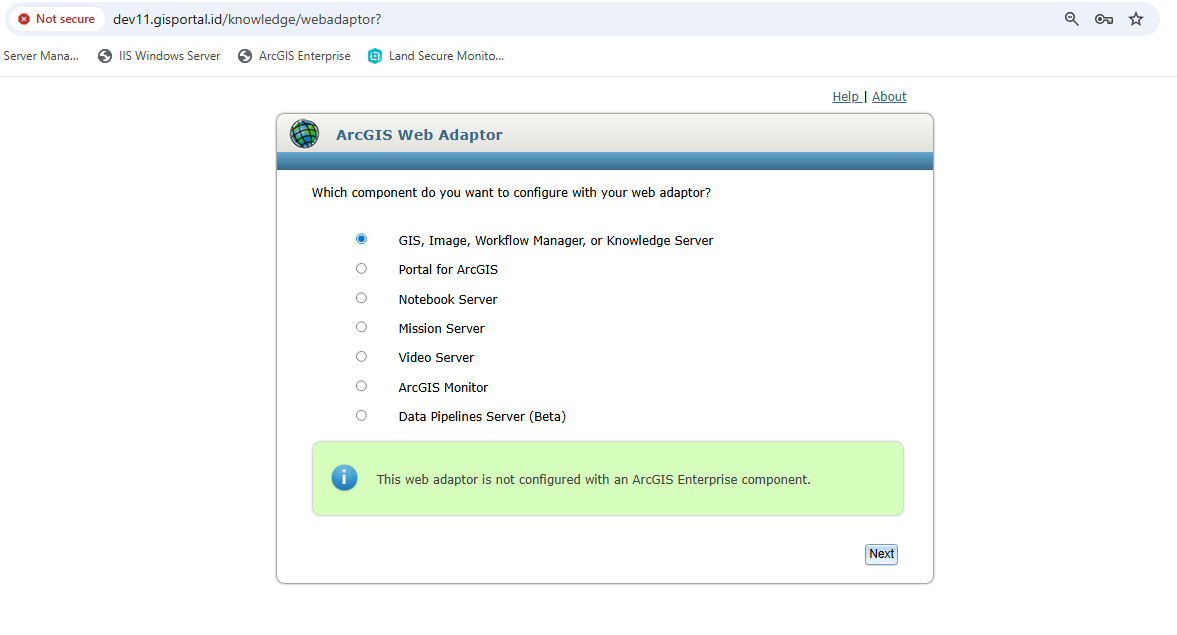
Pilih component
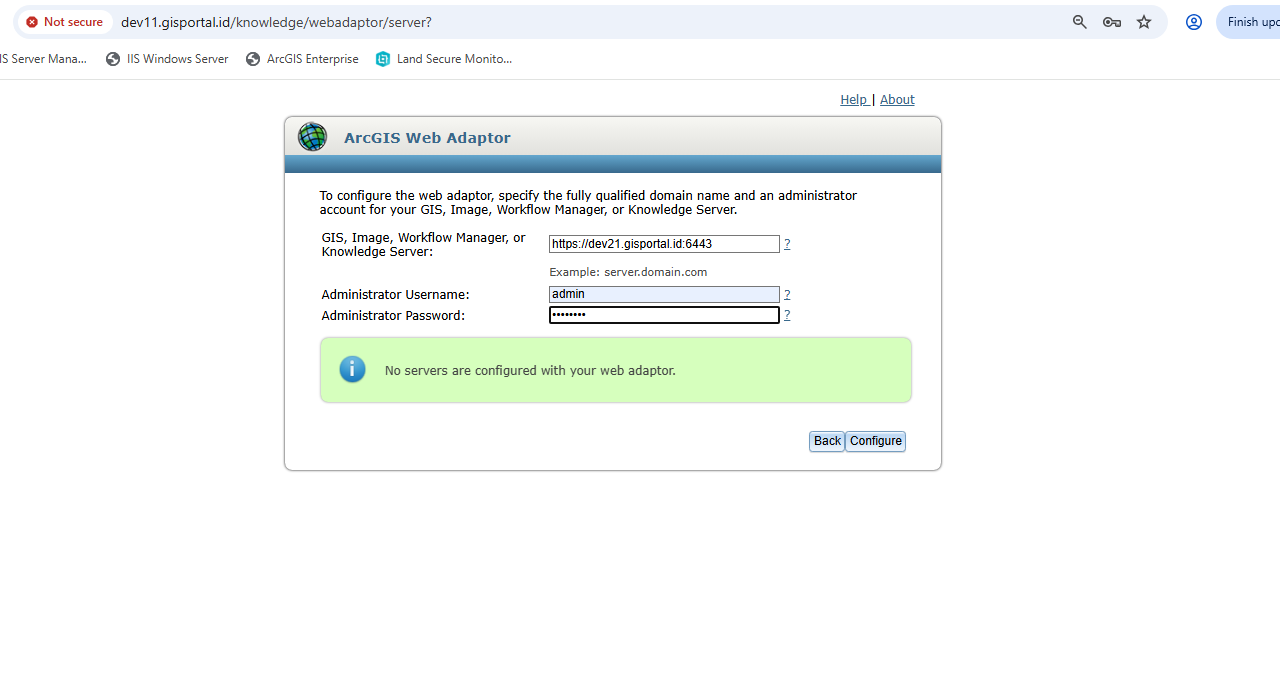
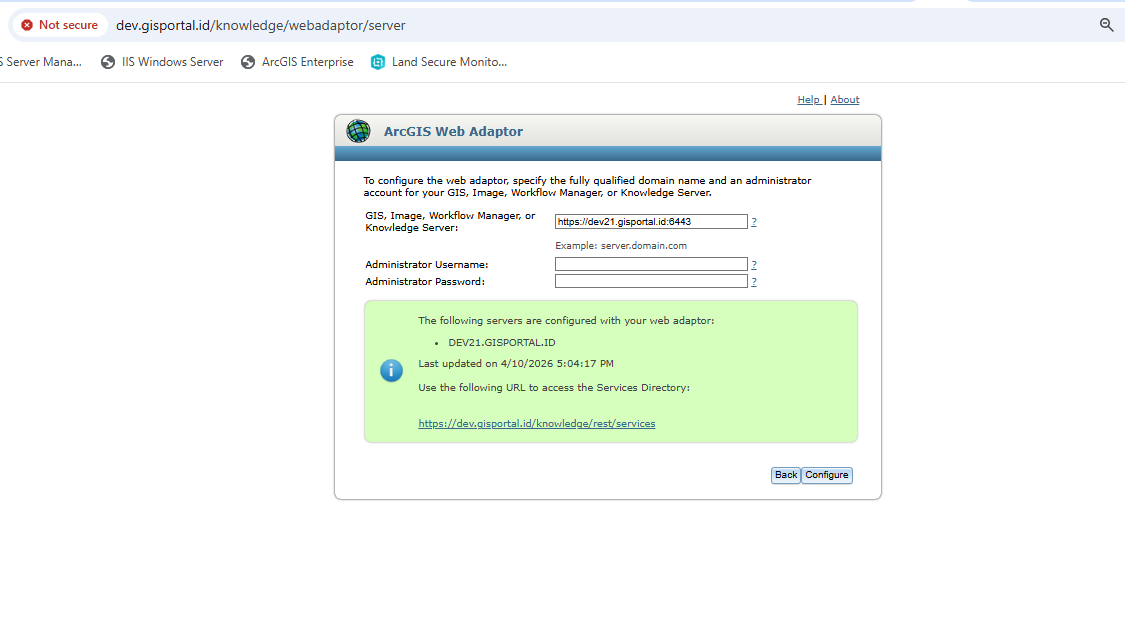
Config server dengan webadaptor. Input domain server dengan url internal atau hostname dev21.gisportal.id:6443 dan administartor account server arcgis yang sudah diconfig.
Config berhasil
5. Install Data store Graph pada mesin DEV21
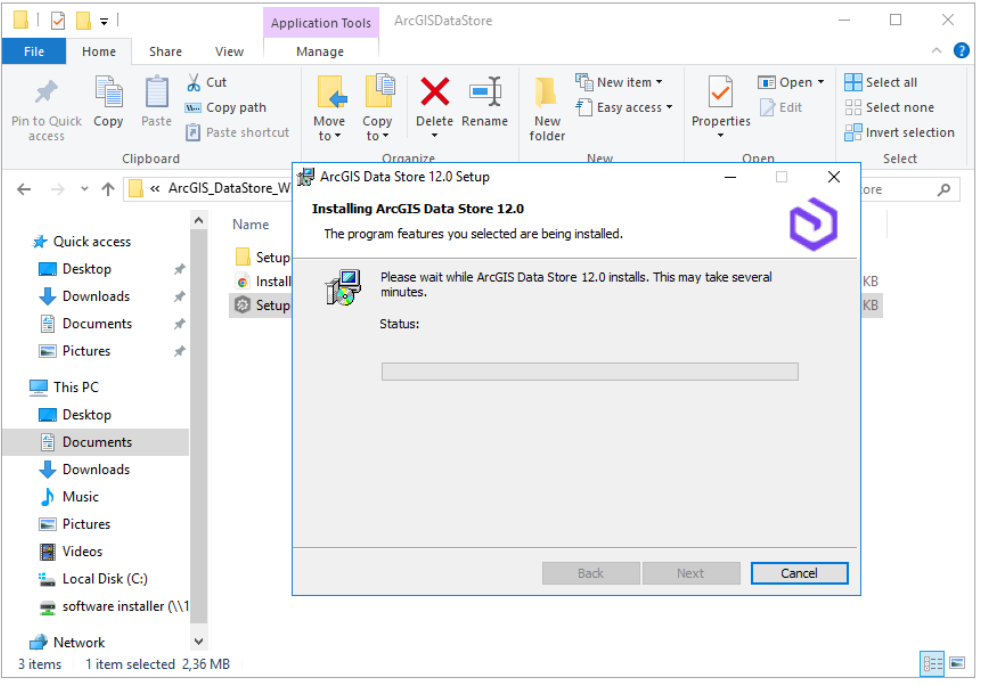
5.1 Install data store graph
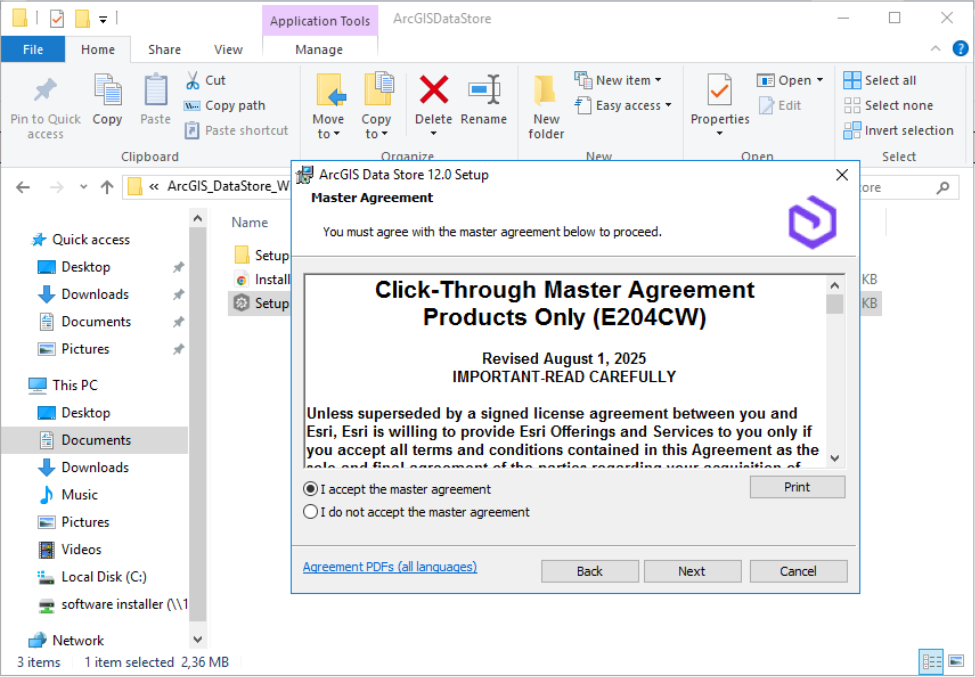
Jalankan installer
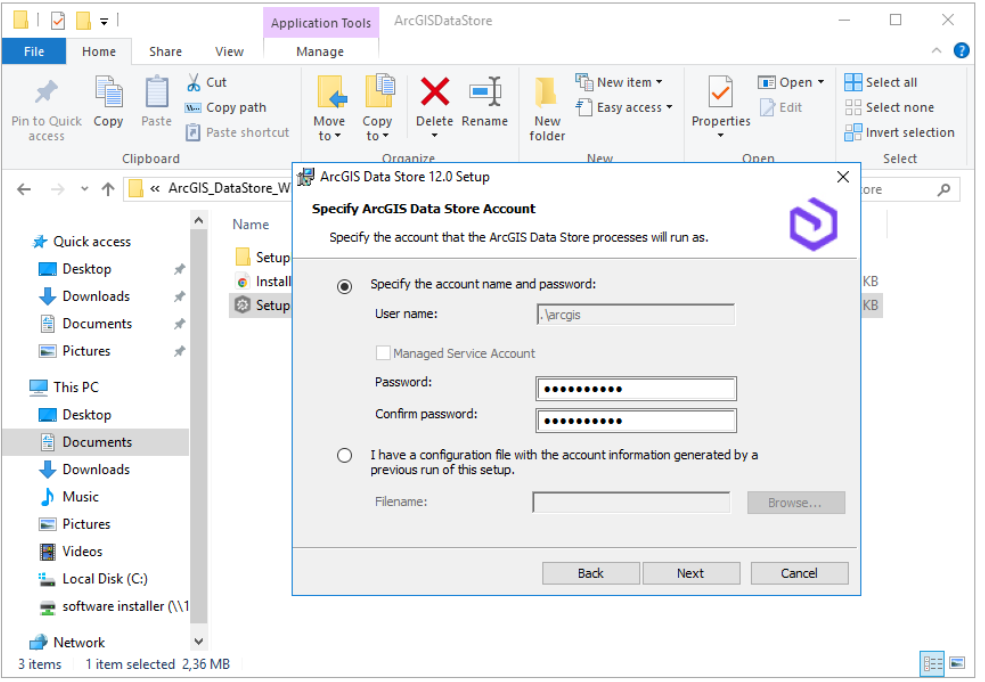
Tentukan Account service .\arcgis
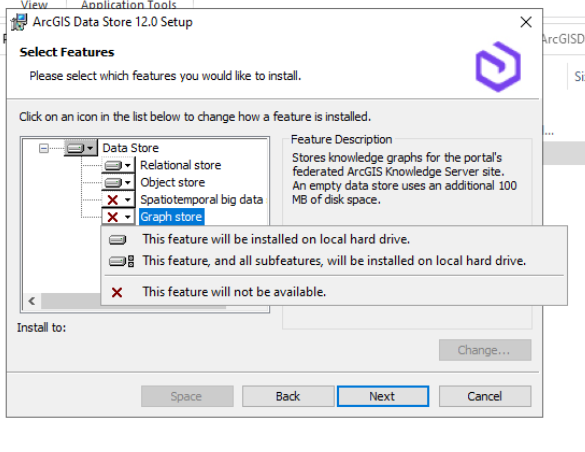
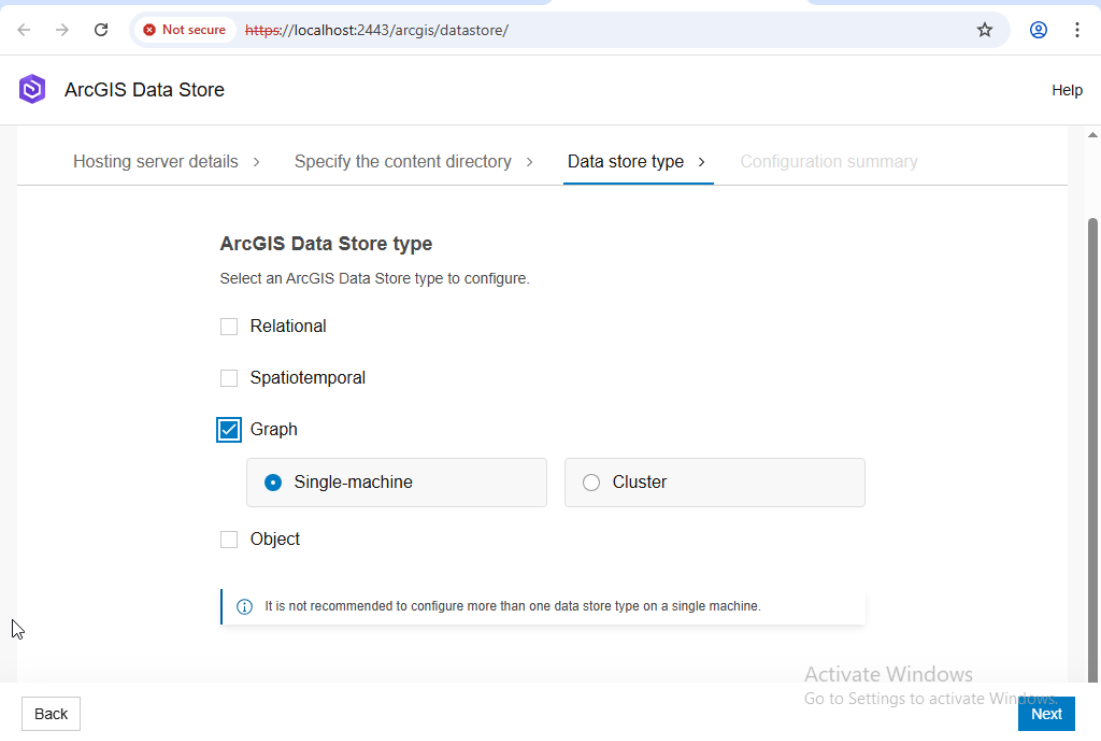
Enable Graph store. Untuk data store yang lain bisa didisable
Install ArcGIS Data store
5.2 config ArcGIS Store
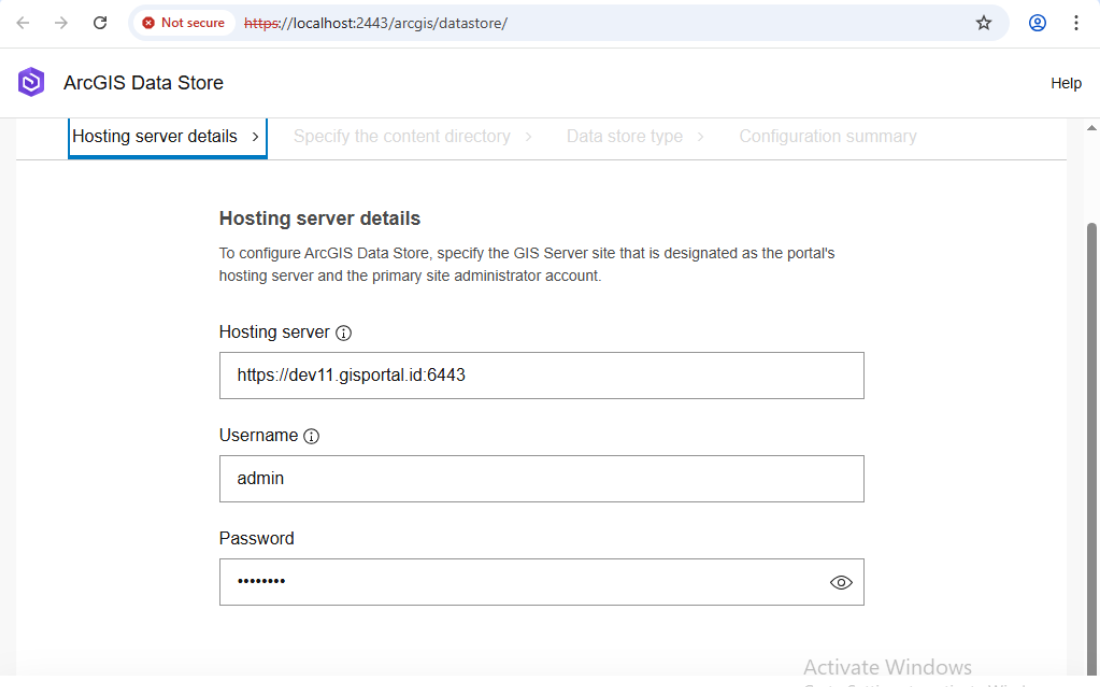
Tentukan GIS Server site yang telah ditunjuk sebagai hosting server dan administrator account
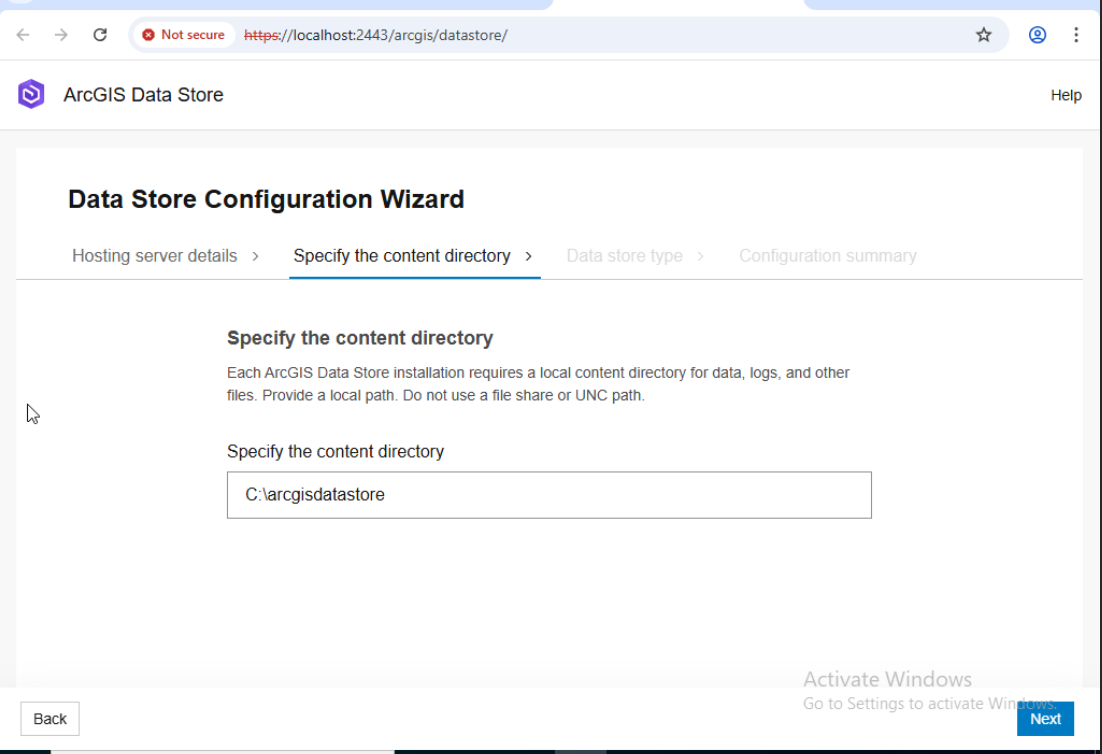
Tentukan file content directory
ArcGIS Data Store Type
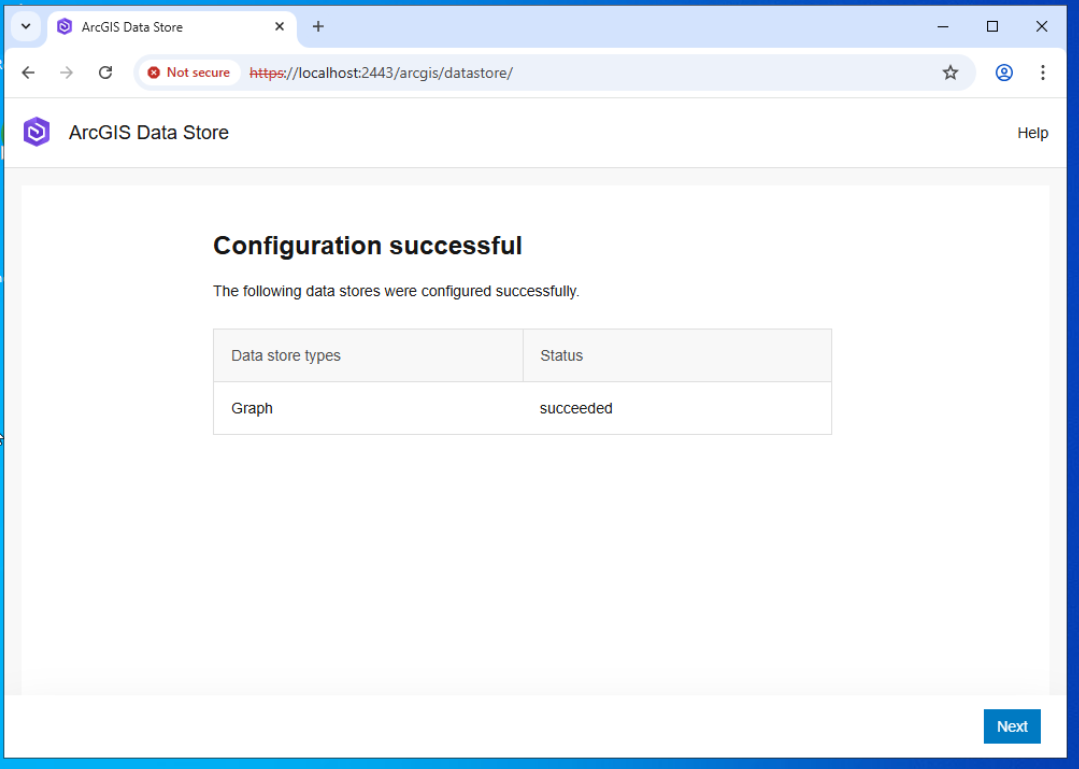
Config Successful
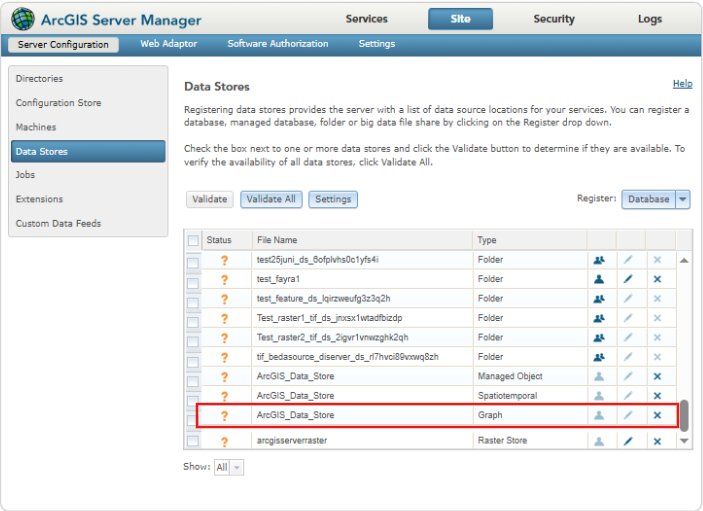
Untuk memastikan config graph data store berhasil dapat dicek pada server manager. masuk ke url https://dev.gisportal.id/server/manager, kemudian site → Data Store
6. Federasi Knowledge dengan Portal for ArcGIS
6.1 Federasi dengan portal
Masuk ke:
Portal for ArcGIS
https://de.gisportal.id/portal/home
Langkah:
Organization → Settings → Servers
Add Server
Masukkan Service URL & Adminstration URL ArcGIS Knowledge Server
Pilih next dan tunggu sampai proses berhasil
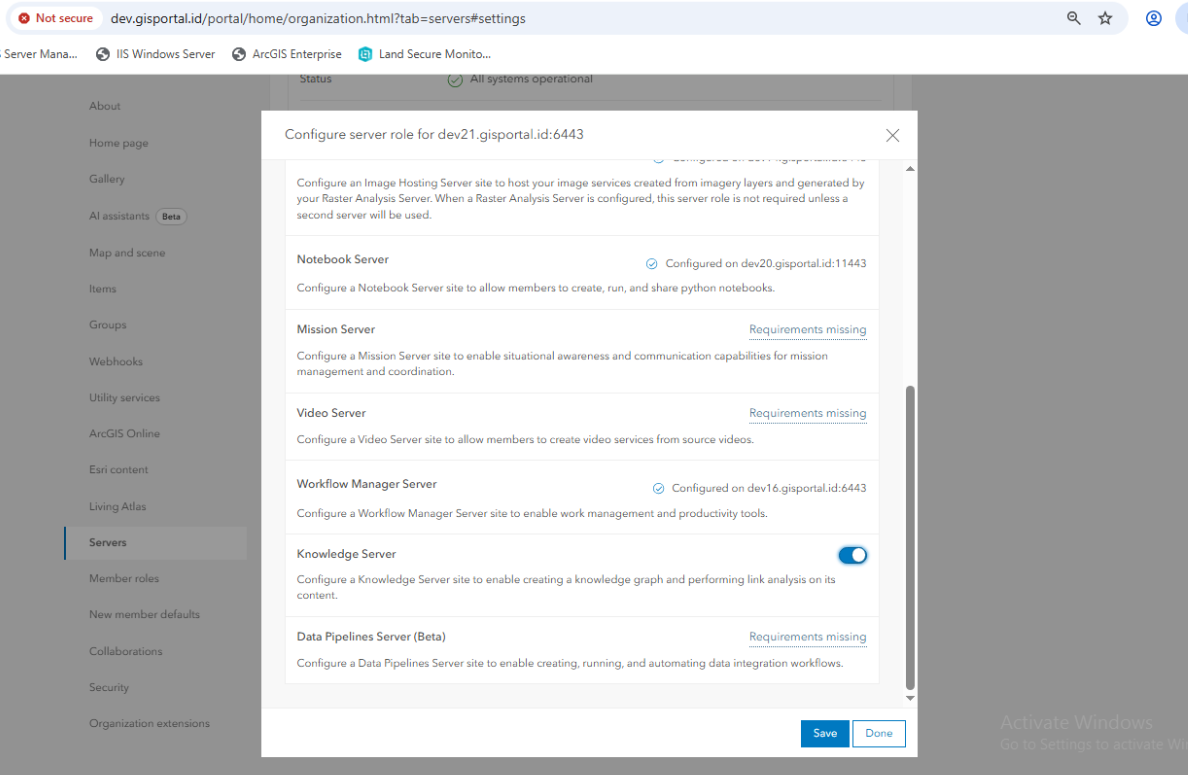
6.6 Assign Role: Knowledge Server
Setelah federasi:
Assign role:
Knowledge Server
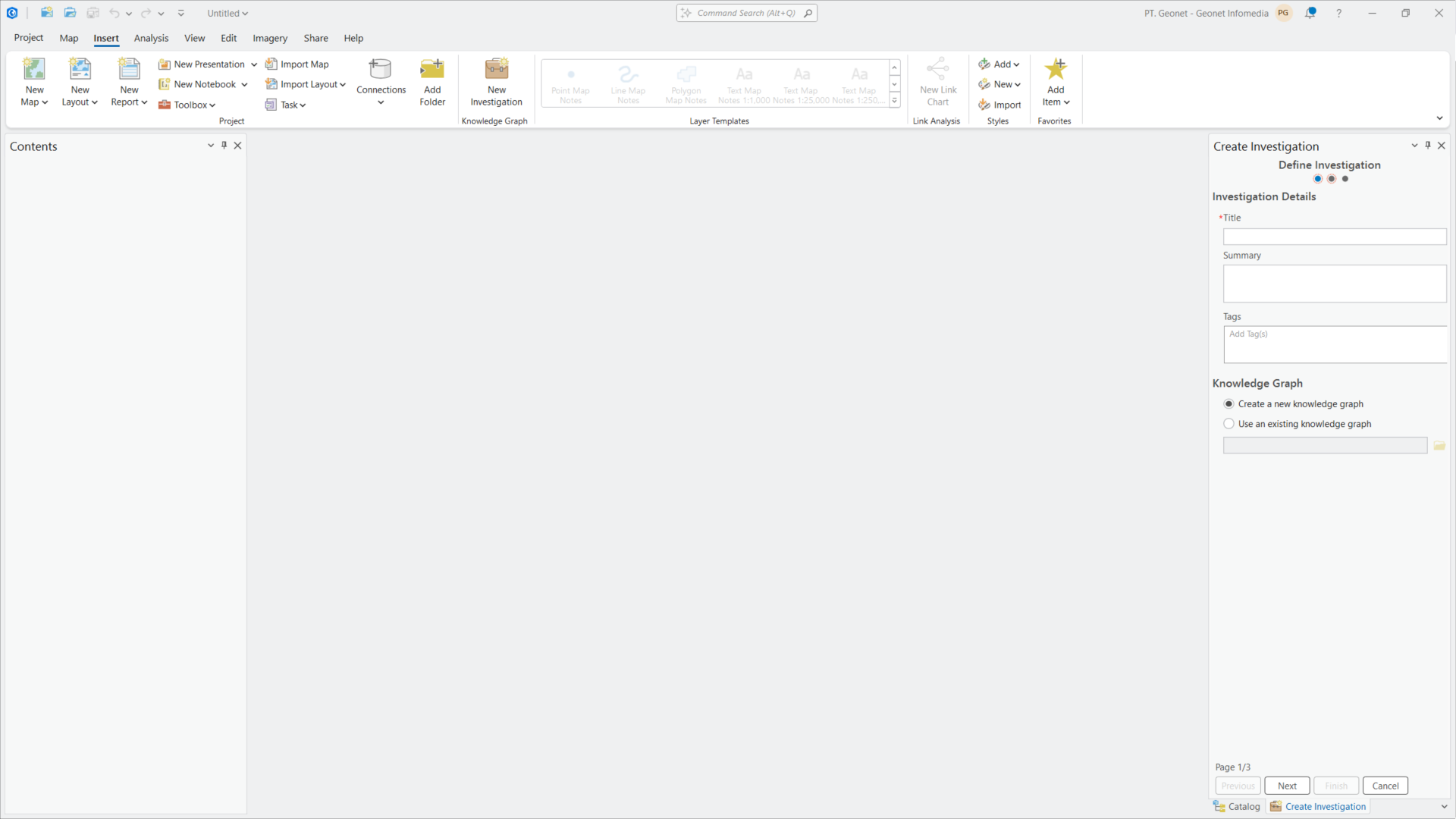
7. Implementasi di ArcGIS Pro
7.1 Login ke Portal
Sign in ke Portal
# 📘 Dokumentasi Instalasi ArcGIS Knowledge Server
## 1. Overview
ArcGIS Knowledge merupakan bagian dari ArcGIS Enterprise yang digunakan untuk membangun knowledge graph berbasis relasi data.
Komponen:
* ArcGIS Server (Knowledge Server)
* ArcGIS Data Store (Graph Store / ArangoDB)
## 2. Preparation
### 2.1 Network & Security
Agar Graph Store (ArangoDB) berjalan normal:
Allow inbound TCP:
* 2443 → ArcGIS Data Store (Data Store config & komunikasi)
* 6443 → ArcGIS Server (Admin & REST)
* 7443 → Portal for ArcGIS
Jika masih gagal:
Disable sementara Windows Firewall / Windows Security untuk memastikan tidak ada blocking internal
## 3. Install dan Config ArcGIS Knowledge
### 3.1 Install ArGIS server pada mesin DEV21
1. jalankan installer
2. Tentukan account service
3. selesaikan installasi
### 3.2 Authorize License
* Gunakan file license (.ecp)
* Pastikan role Knowledge aktif
### 3.3 Create Site
Akses:
```
https://hostname:6443/arcgis/manager
```
Pilih Create a Site
Tentukan:
1. Administrator Acc
2. Server directory dan Config Store
3. Finish Create site
## 4. Install dan config ArcGIS Webadaptor pada mesin DEV11 ArcGIS Enterprise
### 4.1 Install webdapator 12.0
1. jalankan Installer
2. Name for ArcGIS Webdapator
3. Install webadaptor
### 4.2 Config Knowledge server webadaptor
1. Pilih component
2. Config server dengan webadaptor. Input domain server dengan url internal atau hostname ``dev21.gisportal.id:6443`` dan administartor account server arcgis yang sudah diconfig.
3. Config berhasil
## 5. Install Data store Graph pada mesin DEV21
### 5.1 Install data store graph
1. Jalankan installer
2. Tentukan Account service .\arcgis
3. Enable Graph store. Untuk data store yang lain bisa didisable
3. Install ArcGIS Data store
### 5.2 config ArcGIS Store
1. Tentukan GIS Server site yang telah ditunjuk sebagai hosting server dan administrator account
2. Tentukan file content directory
3. ArcGIS Data Store Type
4. Config Successful
Untuk memastikan config graph data store berhasil dapat dicek pada server manager. masuk ke url ``https://dev.gisportal.id/server/manager``, kemudian site → Data Store
## 6. Federasi Knowledge dengan Portal for ArcGIS
### 6.1 Federasi dengan portal
Masuk ke:
Portal for ArcGIS
```
https://de.gisportal.id/portal/home
```
Langkah:
1. Organization → Settings → Servers
2. Add Server
3. Masukkan Service URL & Adminstration URL ArcGIS Knowledge Server
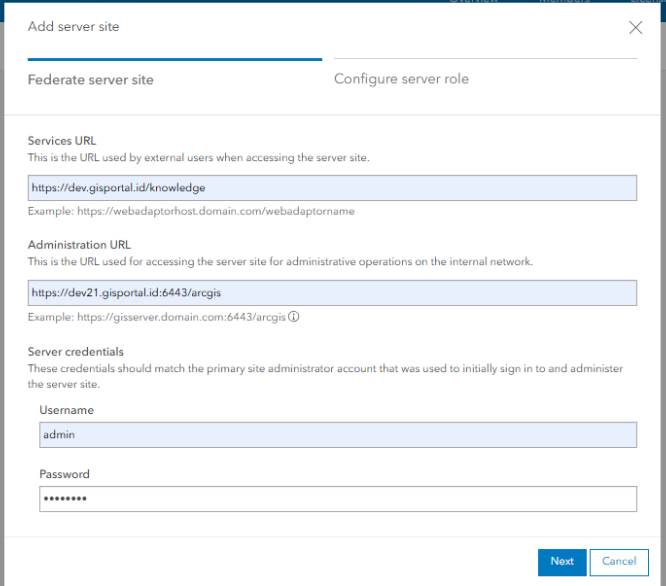
4. Pilih next dan tunggu sampai proses berhasil
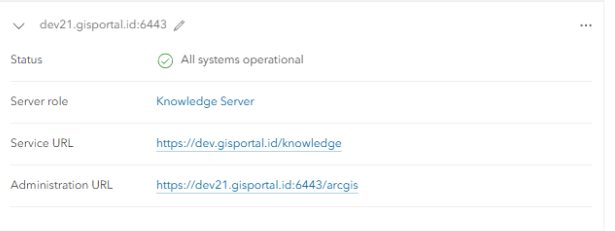
### 6.6 Assign Role: Knowledge Server
Setelah federasi:
Assign role:
* Knowledge Server
## 7. Implementasi di ArcGIS Pro
### 7.1 Login ke Portal
* Sign in ke Portal


📘 Dokumentasi Instalasi ArcGIS Knowledge Server
1. Overview
ArcGIS Knowledge merupakan bagian dari ArcGIS Enterprise yang digunakan untuk membangun knowledge graph berbasis relasi data.
Komponen:
2. Preparation
2.1 Network & Security
Agar Graph Store (ArangoDB) berjalan normal:
Allow inbound TCP:
Jika masih gagal:
Disable sementara Windows Firewall / Windows Security untuk memastikan tidak ada blocking internal
3. Install dan Config ArcGIS Knowledge
3.1 Install ArGIS server pada mesin DEV21
3.2 Authorize License
3.3 Create Site
Akses:
Pilih Create a Site
Tentukan:
4. Install dan config ArcGIS Webadaptor pada mesin DEV11 ArcGIS Enterprise
4.1 Install webdapator 12.0
4.2 Config Knowledge server webadaptor
dev21.gisportal.id:6443dan administartor account server arcgis yang sudah diconfig.5. Install Data store Graph pada mesin DEV21
5.1 Install data store graph
5.2 config ArcGIS Store
Untuk memastikan config graph data store berhasil dapat dicek pada server manager. masuk ke url

https://dev.gisportal.id/server/manager, kemudian site → Data Store6. Federasi Knowledge dengan Portal for ArcGIS
6.1 Federasi dengan portal
Masuk ke:
Portal for ArcGIS
Langkah:
6.6 Assign Role: Knowledge Server
Setelah federasi:
Assign role:
7. Implementasi di ArcGIS Pro
7.1 Login ke Portal